
The CV Master Cheatsheet Library
30 no-fluff infographics pulled straight from CV Writing Mastery — beat the ATS, write achievement bullets that land, and build a CV that gets interviews. Read the module and lesson behind each one, then download the cheatsheets you need — free.
⚡ Need a job ASAP? Skip the wait.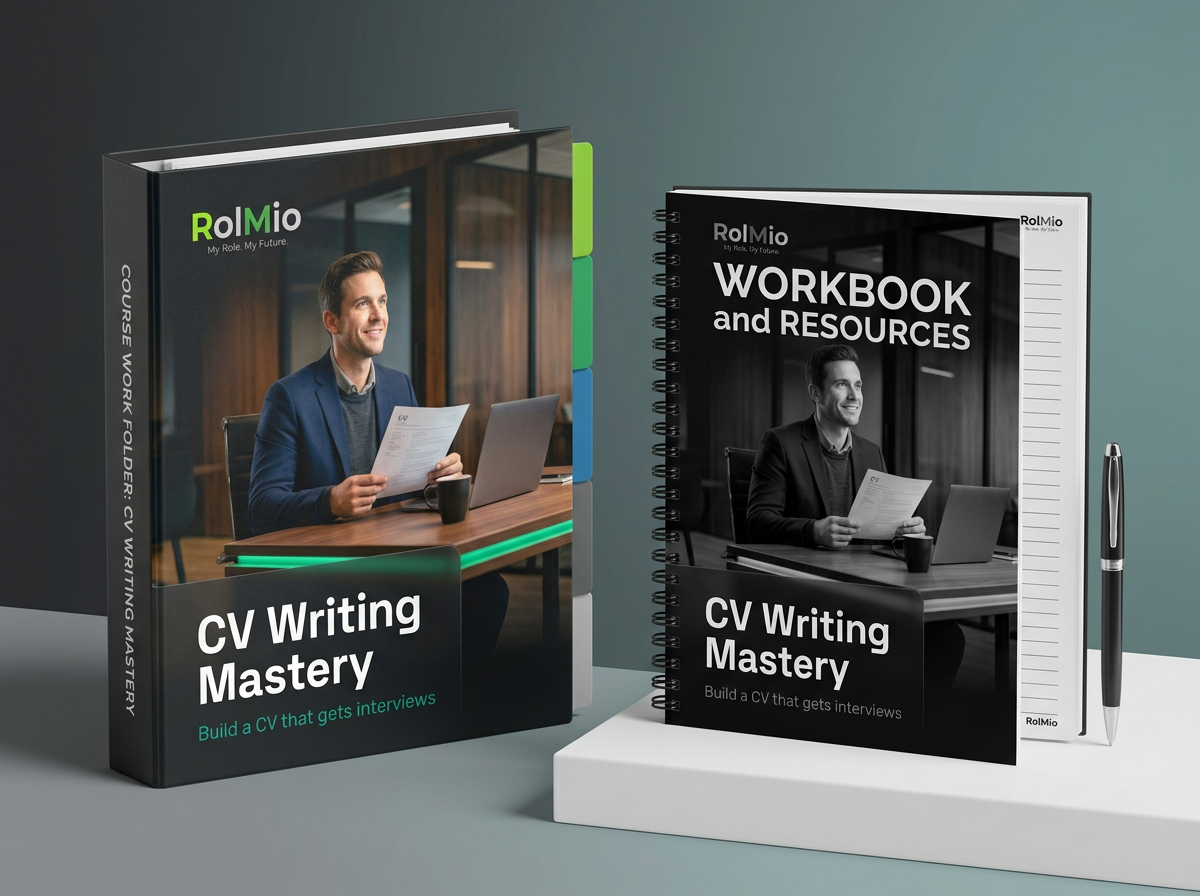 Course availability: Online only
What's inside — every module, lesson & resource
The full CHAMPION curriculum behind the cheatsheets: 8 modules, 48 lessons, and the workbooks & templates you get in each.
Craft Your CV as a Story
- L01Why Your CV Is a Story, Not a List
- L02Who Is Your Ideal Reader?
- L03The Three Seconds a Recruiter Spends
- L04What Recruiters Actually Look For
- L05Your Before-and-After CV Audit
- L06Setting Your CV Goal for This Course
Headline & Personal Brand
- L01What Is a Personal Brand (and Why Your CV Needs One)
- L02Writing a Magnetic Job Title Headline
- L03The Personal Profile Formula
- L04Tailoring Your Headline to the Role
- L05Cutting the Clichés
- L06Personal Brand Consistency Across Your Documents
Achievements That Land
- L01Duties vs Achievements: The Fundamental Switch
- L02The CAR Framework (Context, Action, Result)
- L03Turning Responsibilities into Results
- L04Writing Achievements When You Have No Numbers
- L05The Verb-First Rule
- L06Your Achievement Inventory: Building the Master List
Market Targeting
- L01One CV Does Not Fit All
- L02Reading a Job Description Like a Recruiter
- L03Building a Role-Specific CV Version
- L04Researching the Company Before You Apply
- L05Tracking Your Applications Without Losing Your Mind
- L06When to Use a General CV vs a Targeted CV
Pitch-Perfect Structure
- L01The Anatomy of a Winning CV
- L02Section Order: What Goes First
- L03One Page vs Two Pages: The Real Rule
- L04White Space, Fonts, and Readability
- L05The Skills Section Done Right
- L06Module Challenge & Summary
Impact Through Metrics
- L01Why Metrics Win Interviews
- L02Finding Your Numbers
- L03Framing Metrics for Maximum Impact
- L04Metrics for Non-Sales and Non-Finance Roles
- L05Quantifying Soft Impact
- L06Reviewing Your Achievement Bullets with Numbers
Optimise for ATS
- L01How ATS Works (and Why It Matters to You)
- L02Keyword Strategy: Reading Between the Lines
- L03Where and How to Place Keywords
- L04ATS-Safe Formatting Rules
- L05Testing Your CV Against a Job Description
- L06Module Challenge & Summary
Network-Ready Profile
- L01Why LinkedIn Is Part of Your CV Strategy
- L02The LinkedIn Profile Sections That Actually Matter
- L03Writing a LinkedIn About Section That Works
- L04Keeping CV and LinkedIn in Sync
- L05Making Your LinkedIn Profile Findable
- L06Your Complete CHAMPION CV
CV Master Cheatsheets
30 no-fluff CV infographics — beat the ATS, write achievement bullets, and get interviews. Each maps to a lesson in CV Writing Mastery with the workbook you'll use.
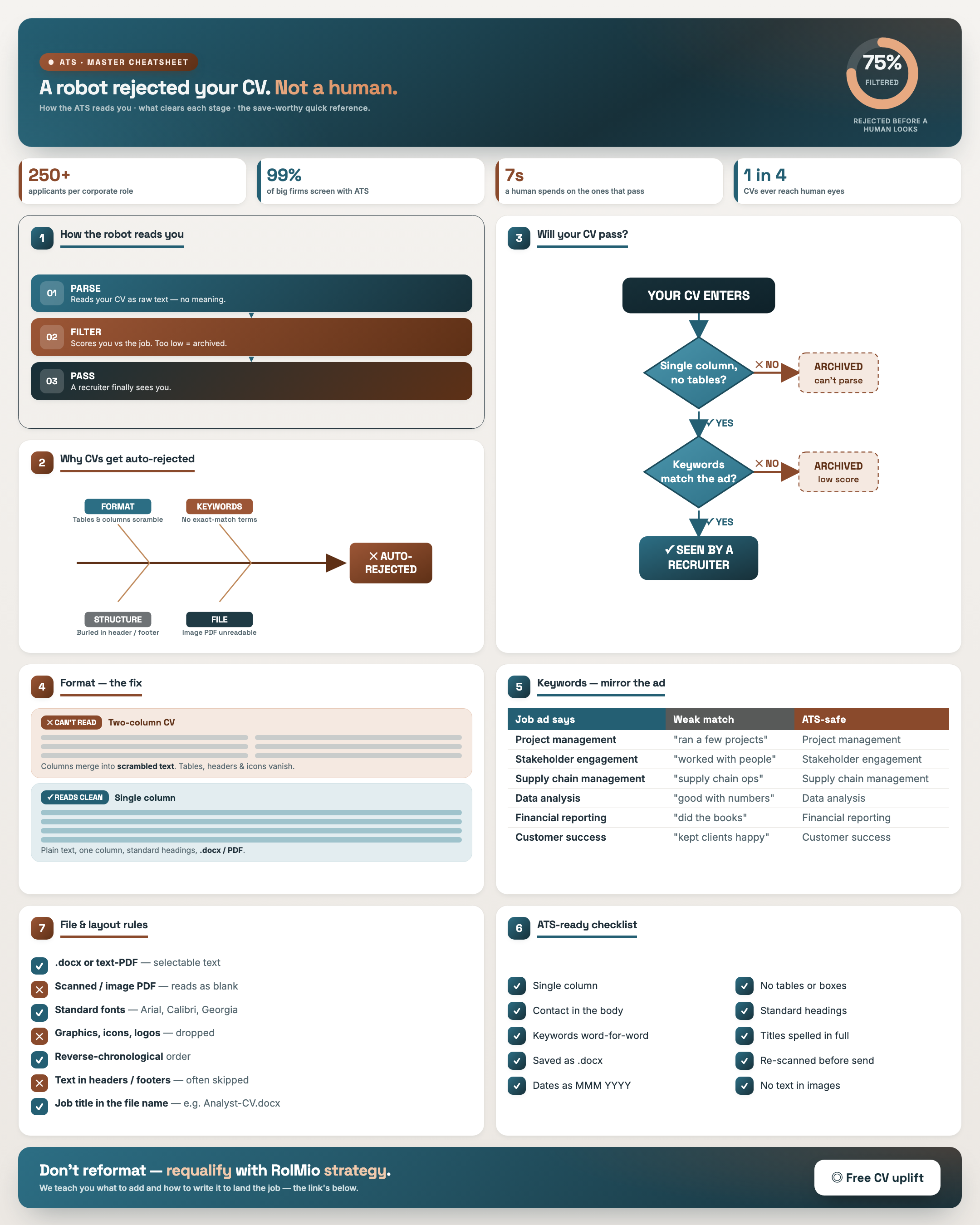
How ATS Works — The ATS Hacking Guide
Result: You understand why a machine, not a human, screens your CV first — and can name the three things ATS does to it.
Resource: ATS Employer Research Table
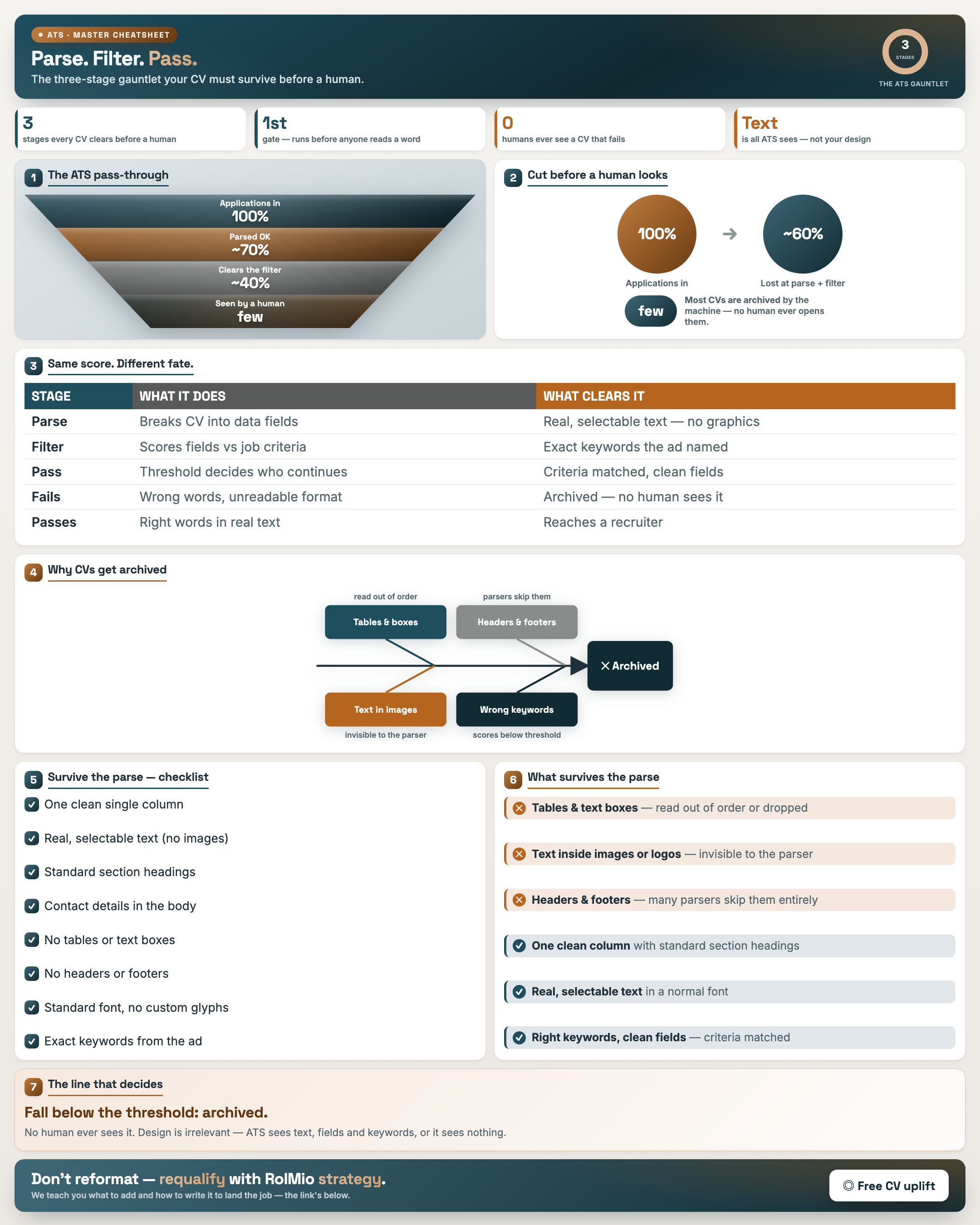
Parse. Filter. Pass. — The ATS Gauntlet
Result: You trace your CV through parse → filter → rank and spot exactly where a CV gets dropped.
Resource: ATS Employer Research Table
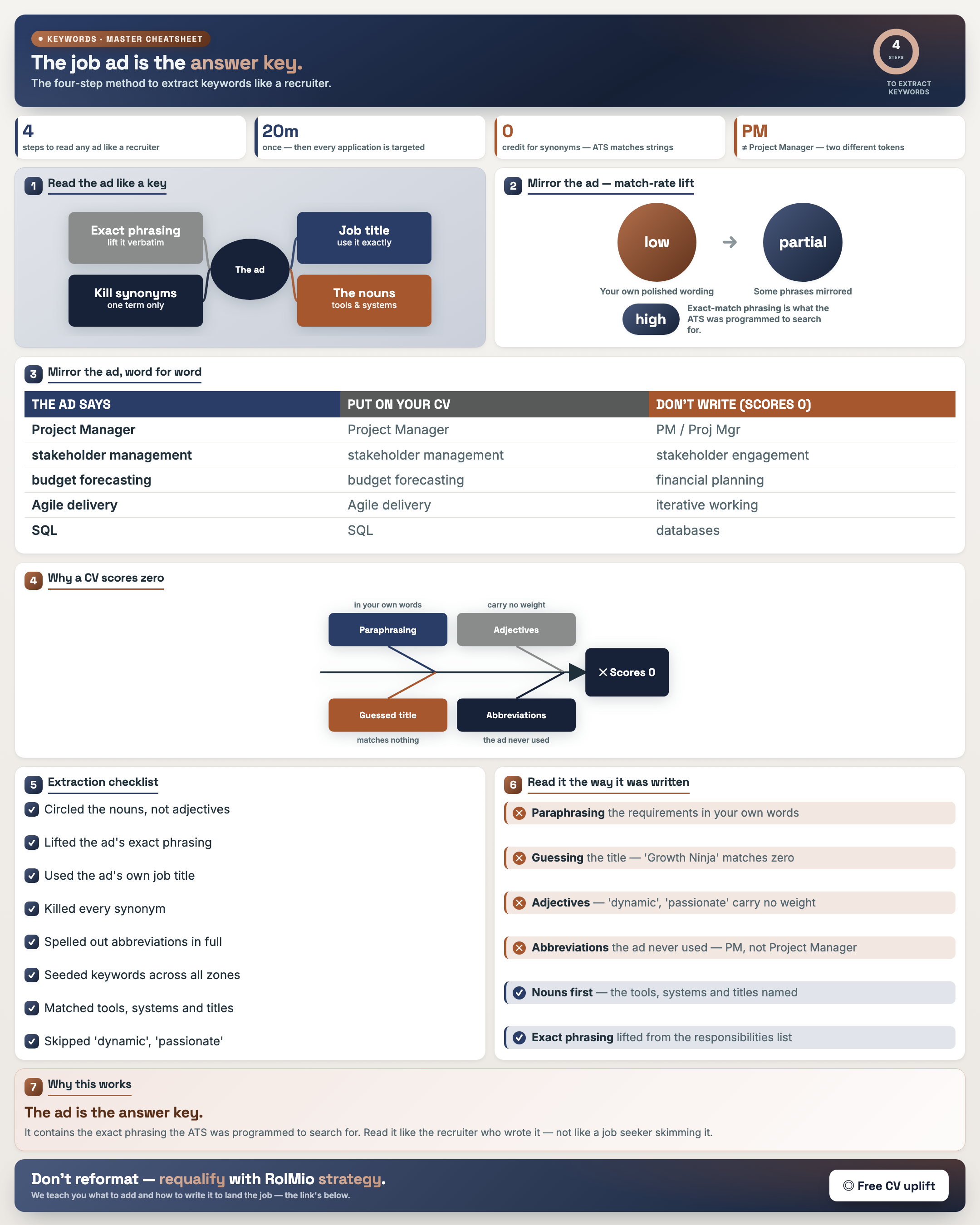
Read the Job Ad Like a Recruiter — Keyword Strategy
Result: You pull the exact hard and soft keywords a role is scored on, straight from the ad.
Resource: Keyword Extraction Worksheet
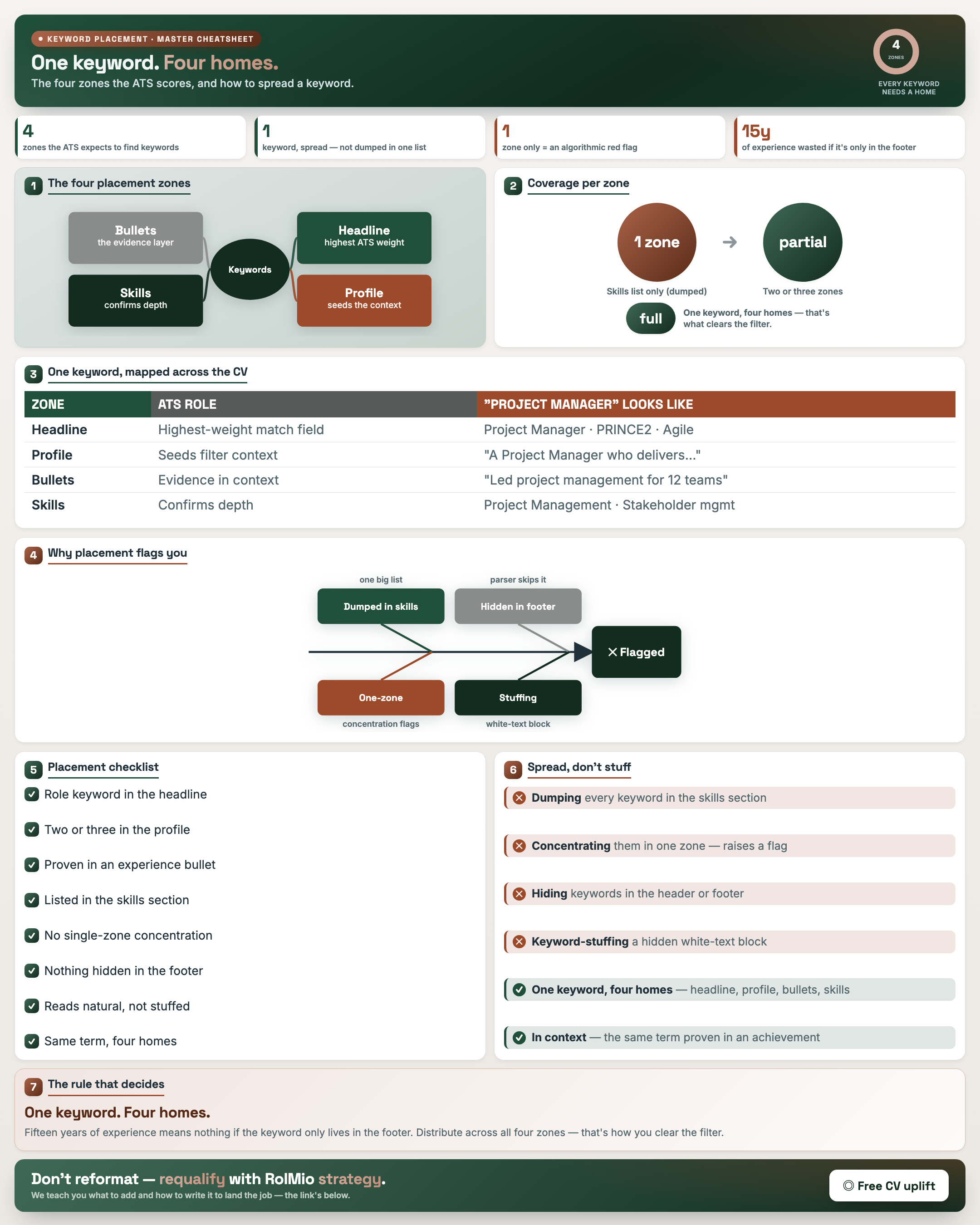
Where Keywords Must Go — The Four Zones
Result: You place keywords across all four CV zones so both the ATS and the recruiter register them.
Resource: Keyword Placement Audit Table
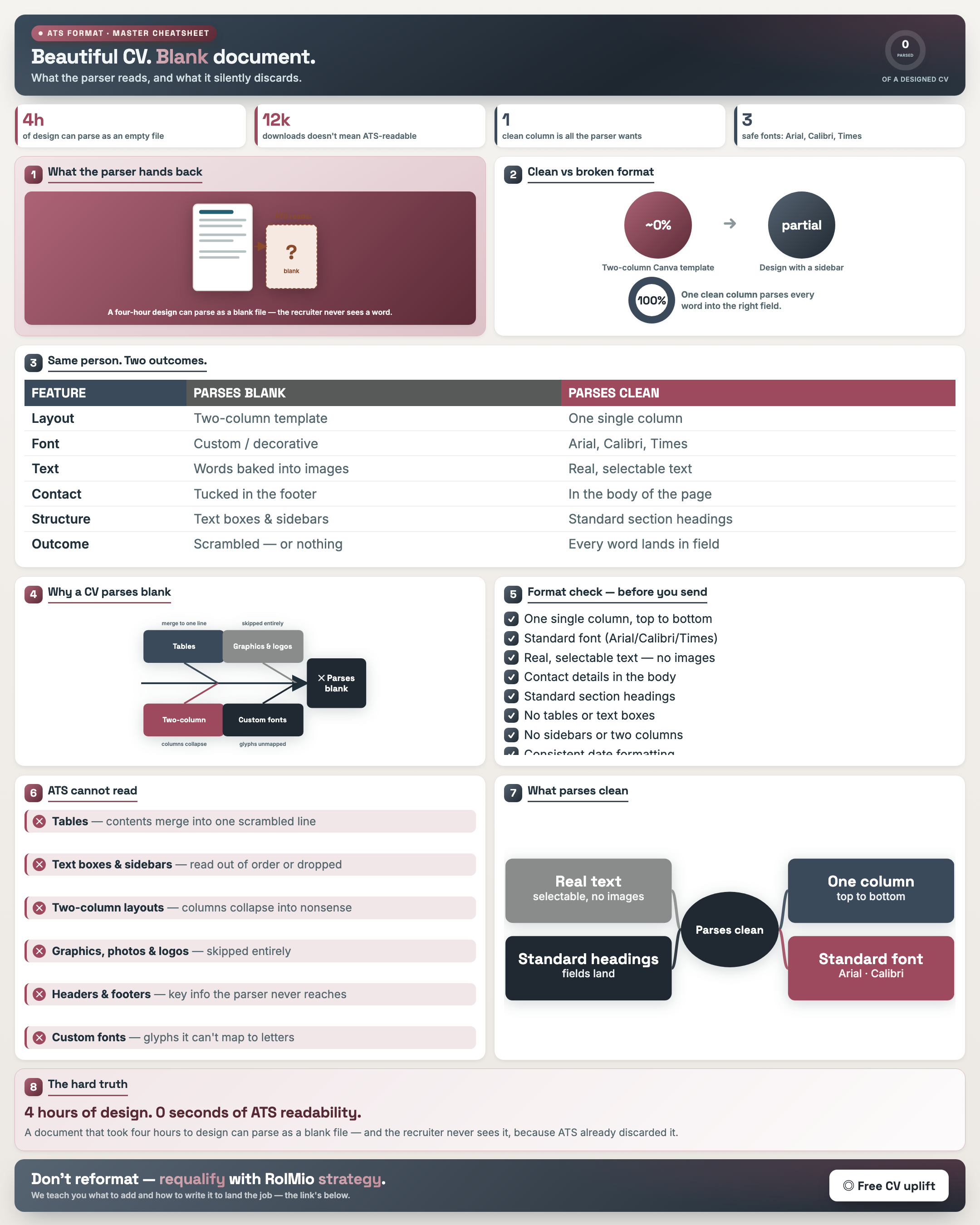
Format Mistakes That Crash ATS — The Cheat Sheet
Result: You identify and strip the formatting that turns your CV into a blank document to an ATS.
Resource: ATS Employer Research Table · CV Formatting Checklist
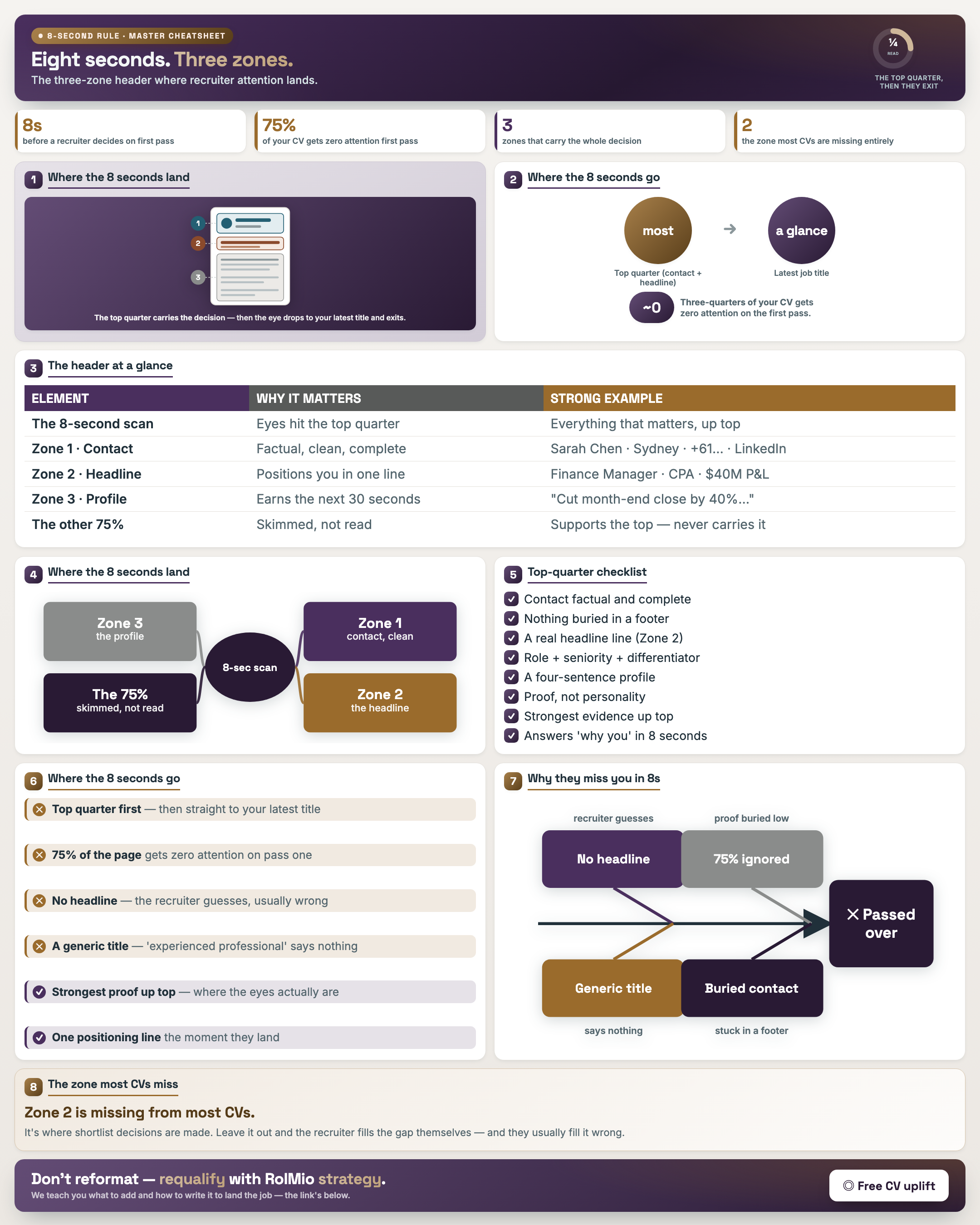
The Eight-Second Rule — The Three-Zone Header
Result: You structure the top third so a recruiter grasps who you are in the eight seconds they spend.
Resource: Three-Zone Header Audit Worksheet
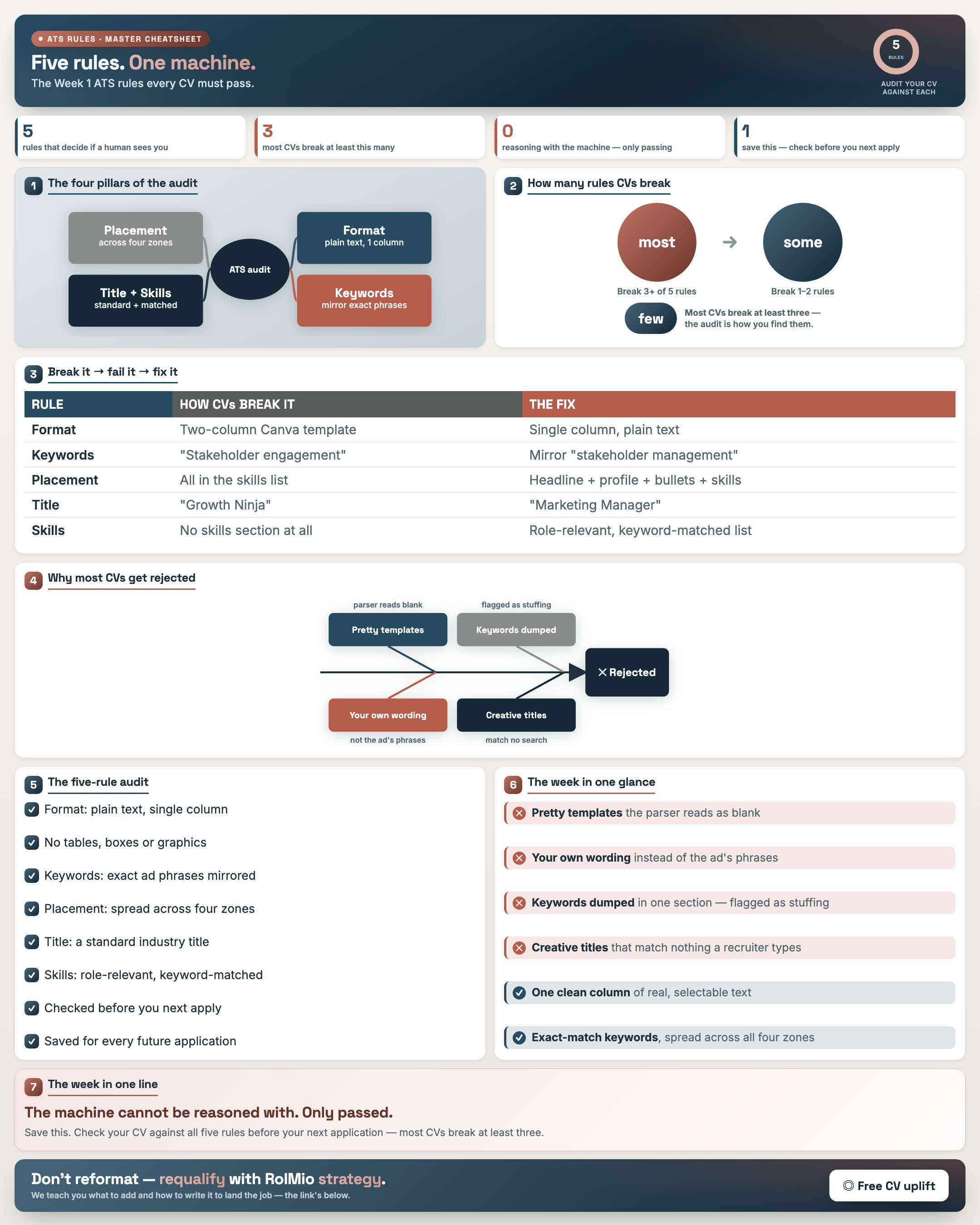
Week 1 Wrap — The Five ATS Rules
Result: You run your CV against the five core ATS rules and fix the three most CVs break.
Resource: ATS Research Table · Keyword Extraction · Placement Audit
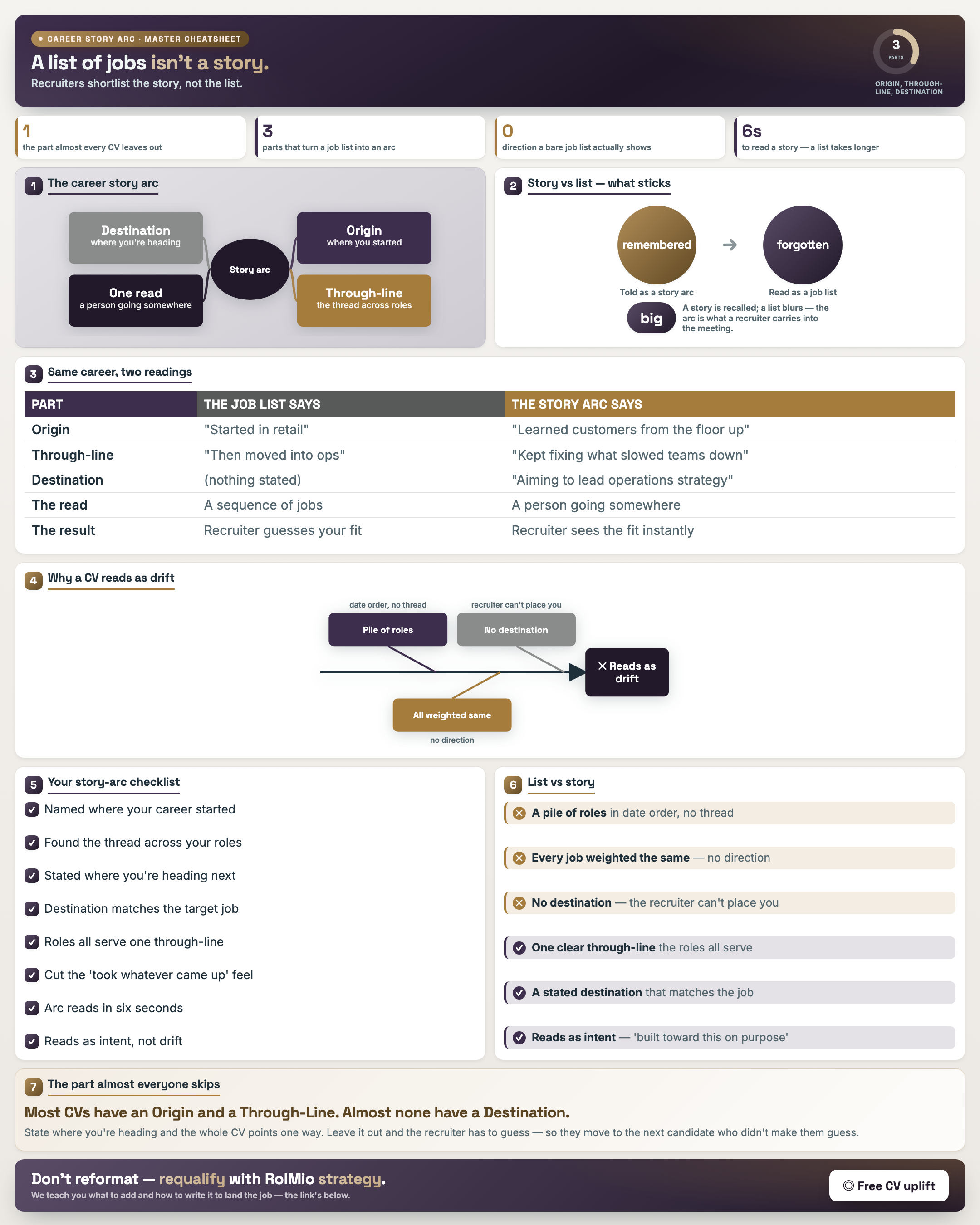
The Career Story Arc — Origin, Through-Line, Destination
Result: You reframe a flat list of jobs into a coherent career story recruiters shortlist.
Resource: Career Arc Draft Worksheet
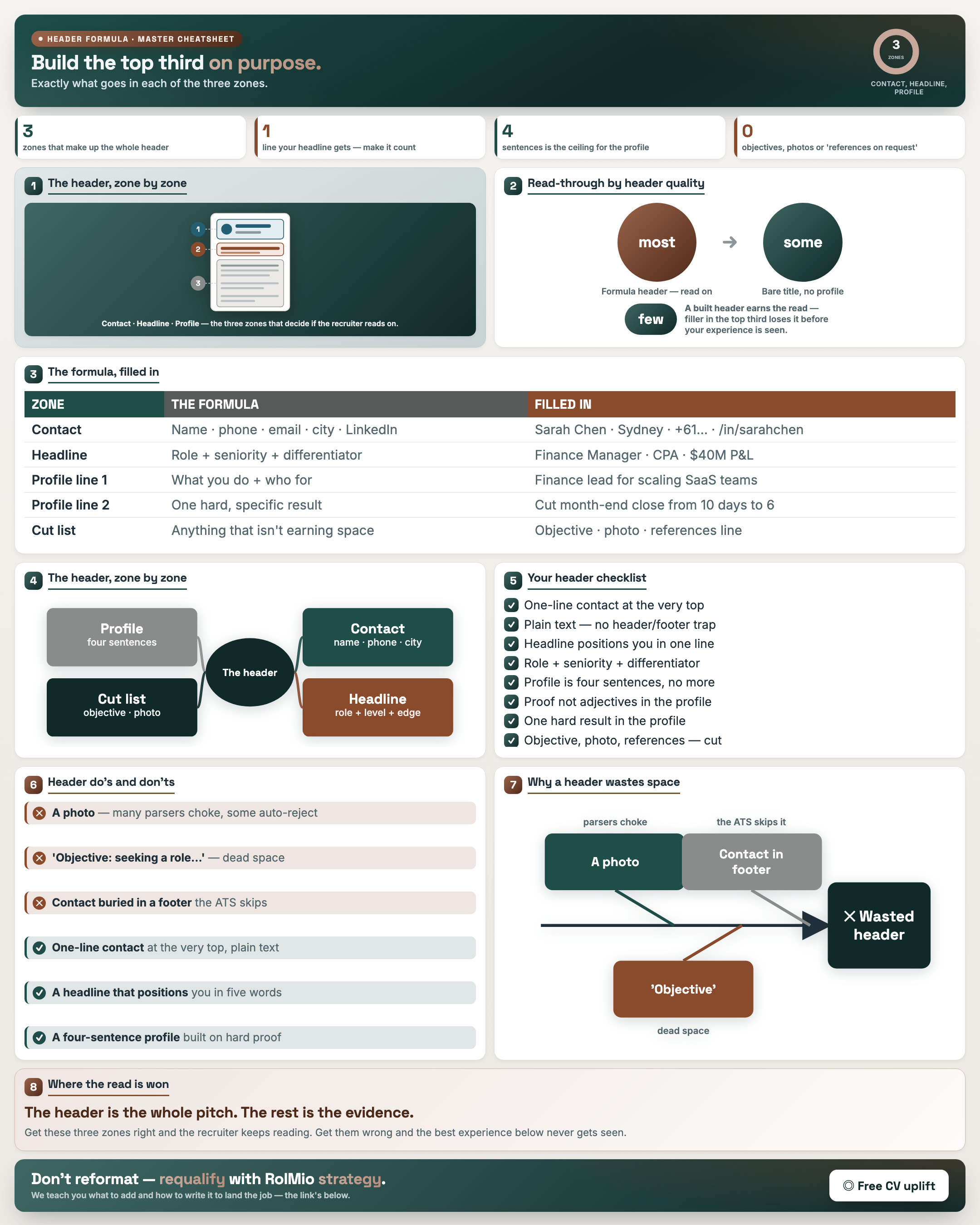
The Header Formula — What Goes in Each Zone
Result: You know what belongs in each header zone and stop wasting space on a generic objective.
Resource: Three-Zone Header Audit Worksheet
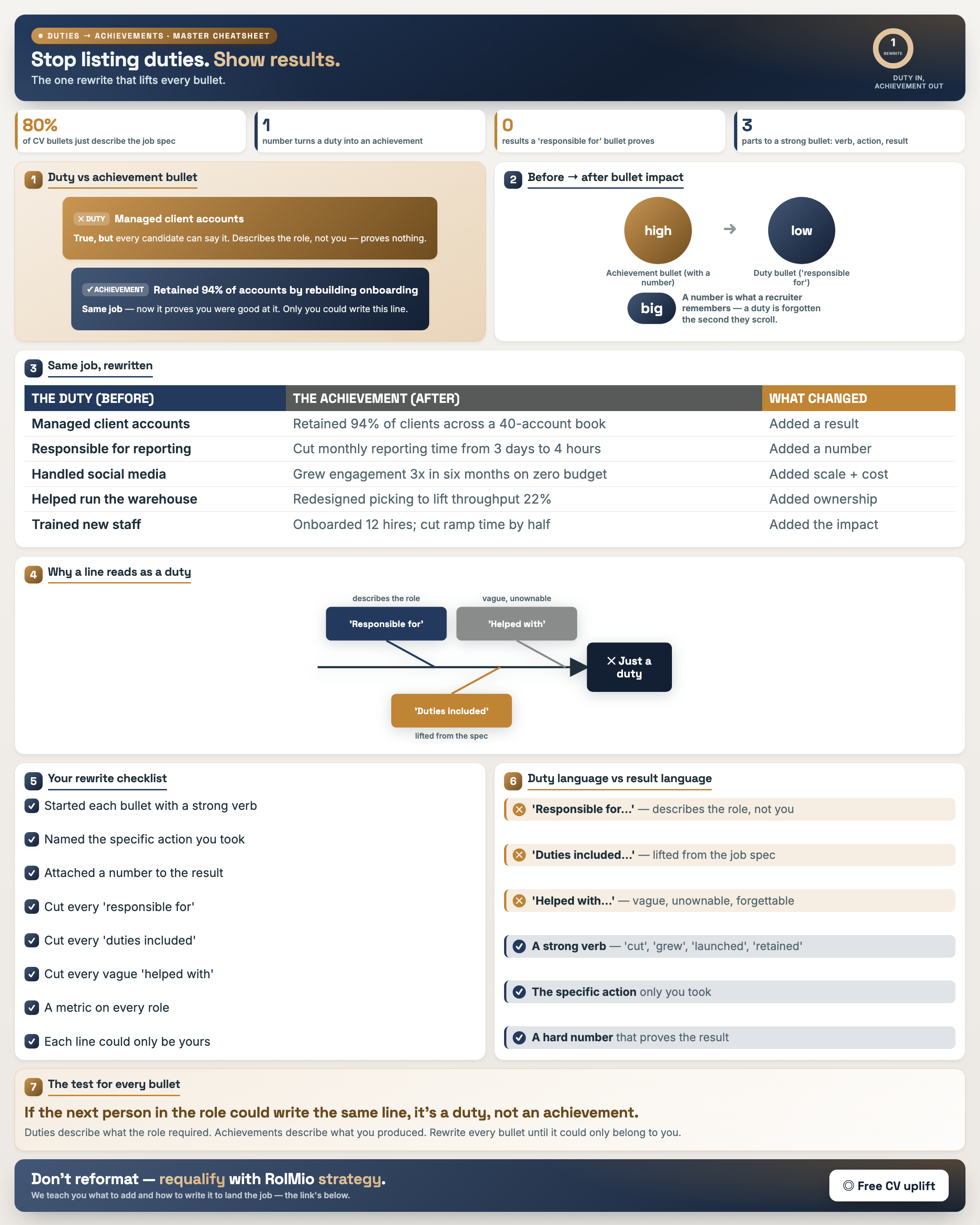
Duties vs Achievements — Rewrite Every Bullet
Result: You convert every bullet from “what the role required” into “what you produced.”
Resource: Duty vs Achievement Audit Sheet
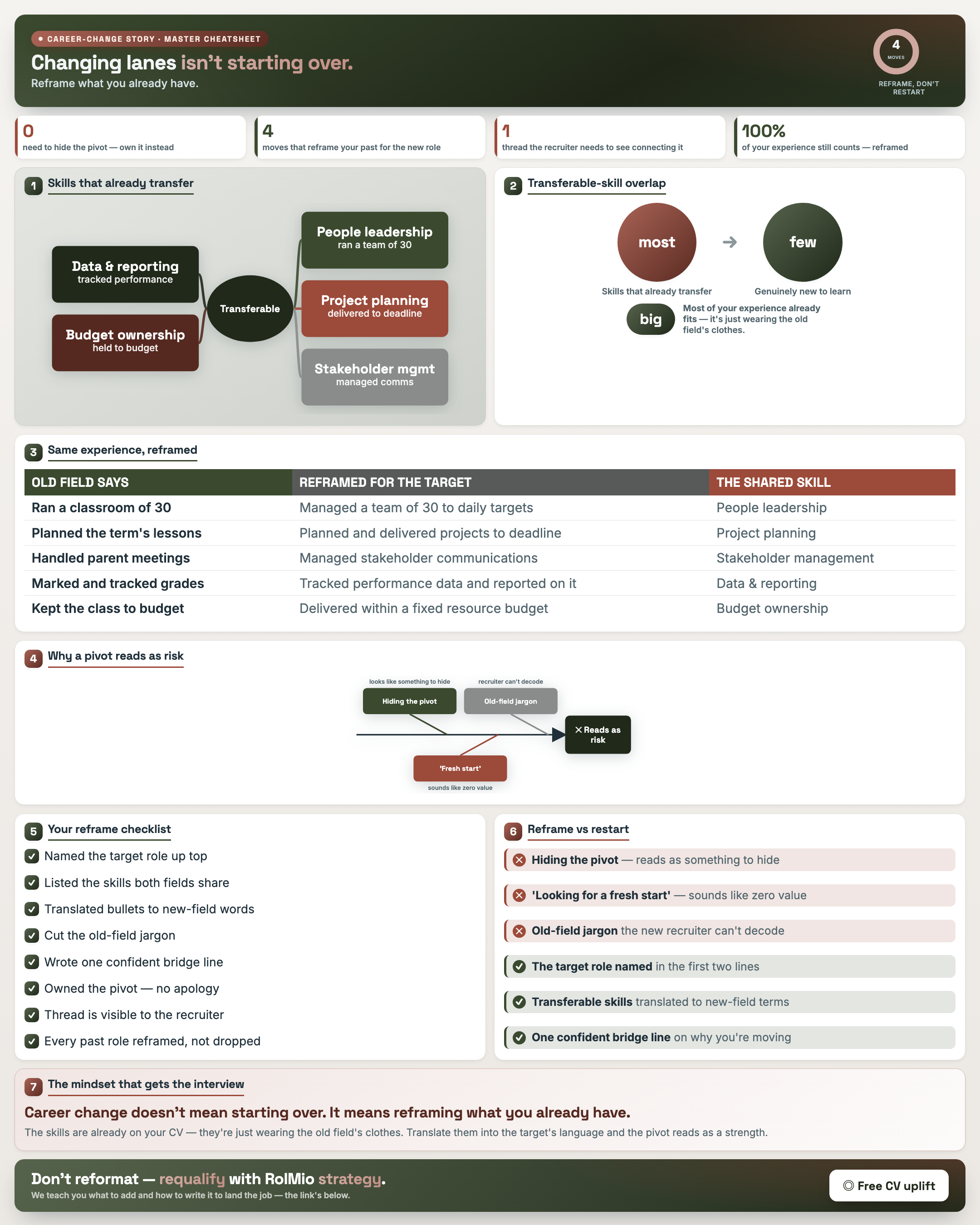
The Career-Change Story — Reframe, Don't Restart
Result: You reframe existing experience so a career change reads as momentum, not a reset.
Resource: Transferable Skills Map
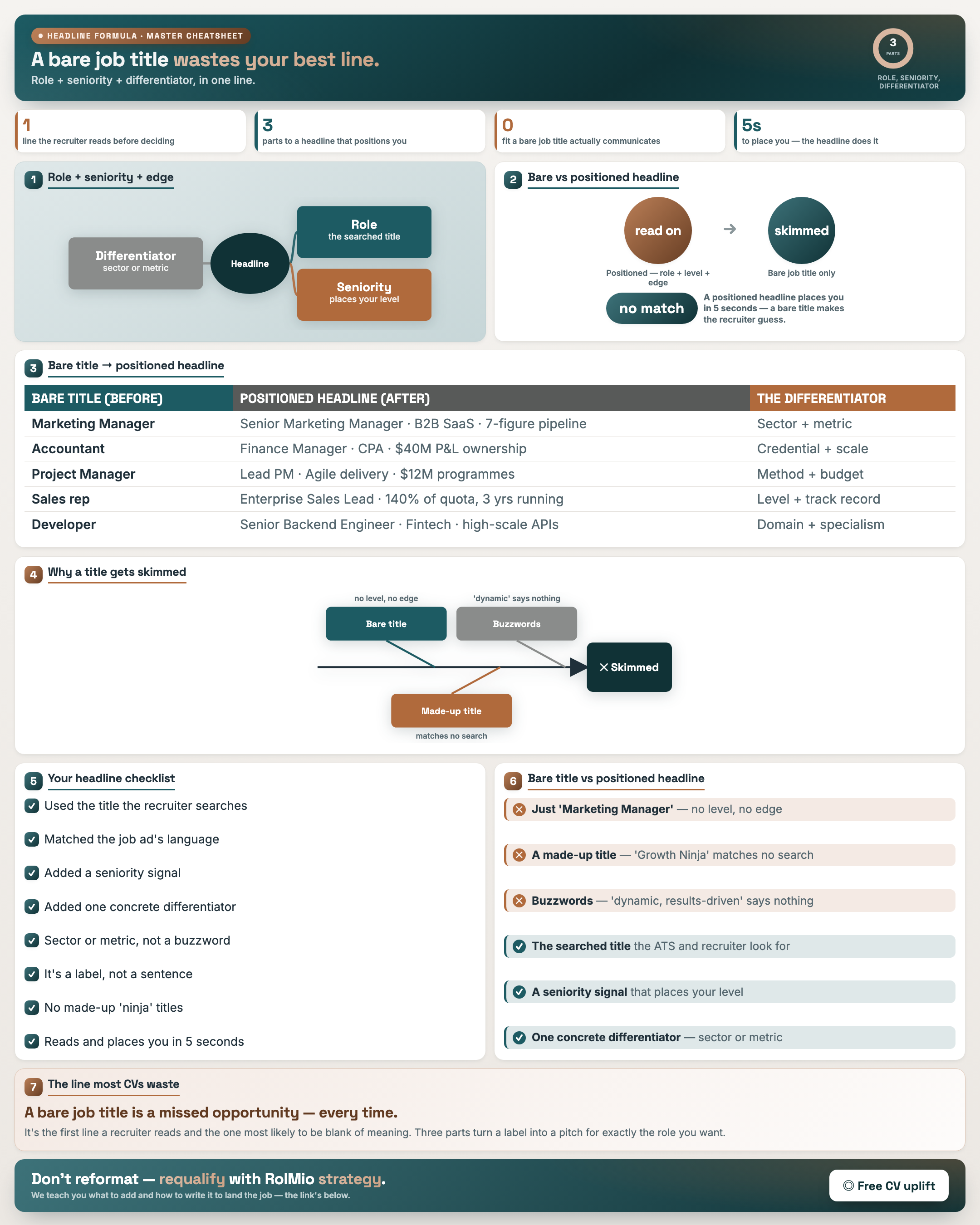
The Headline Formula — Role + Seniority + Differentiator
Result: You write a headline that states role, seniority and a differentiator, not a bare title.
Resource: Headline Builder Worksheet
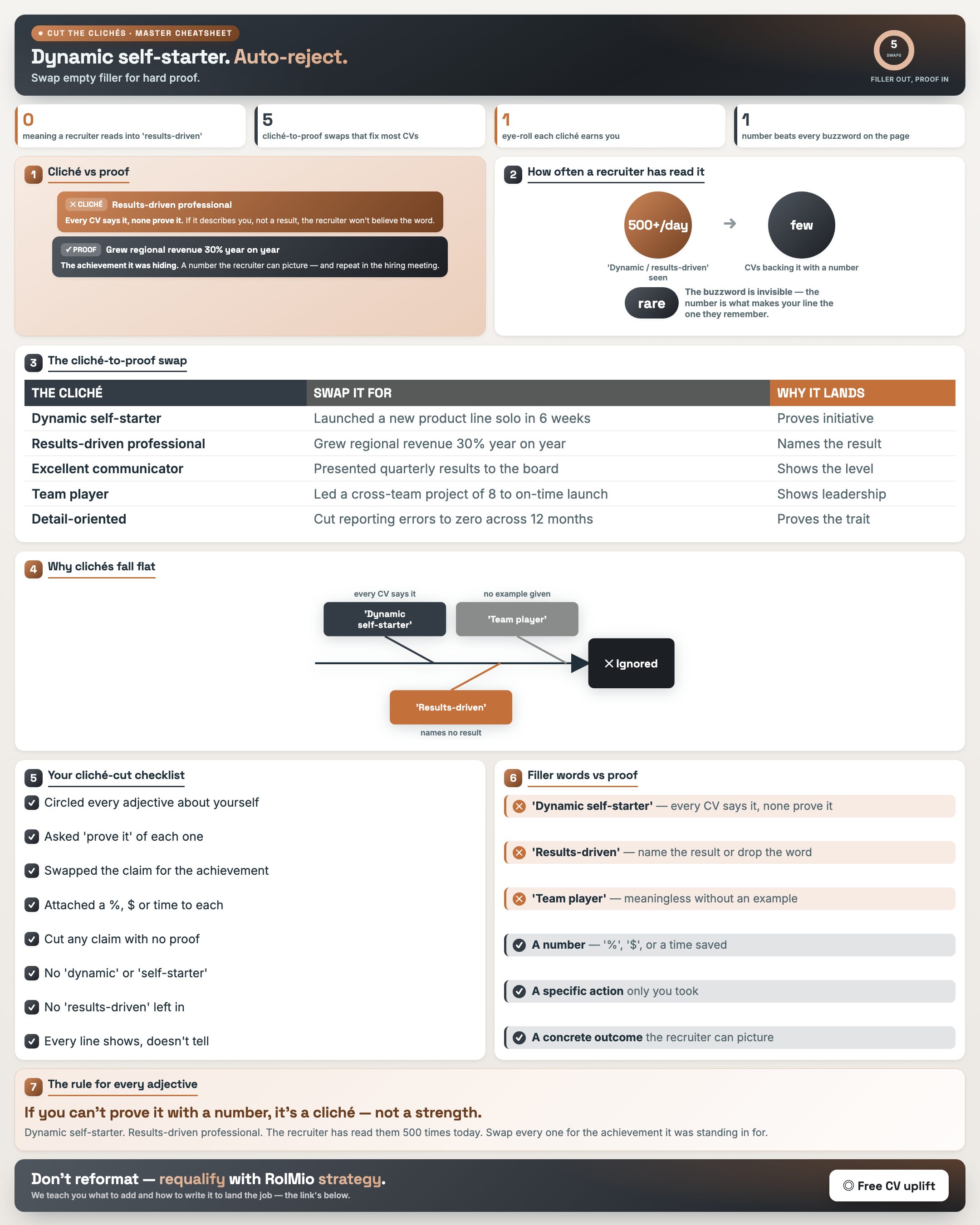
Cut the Clichés — Swap Filler for Proof
Result: You replace filler like “results-driven” with concrete proof so your summary earns attention.
Resource: Cliché Audit Worksheet
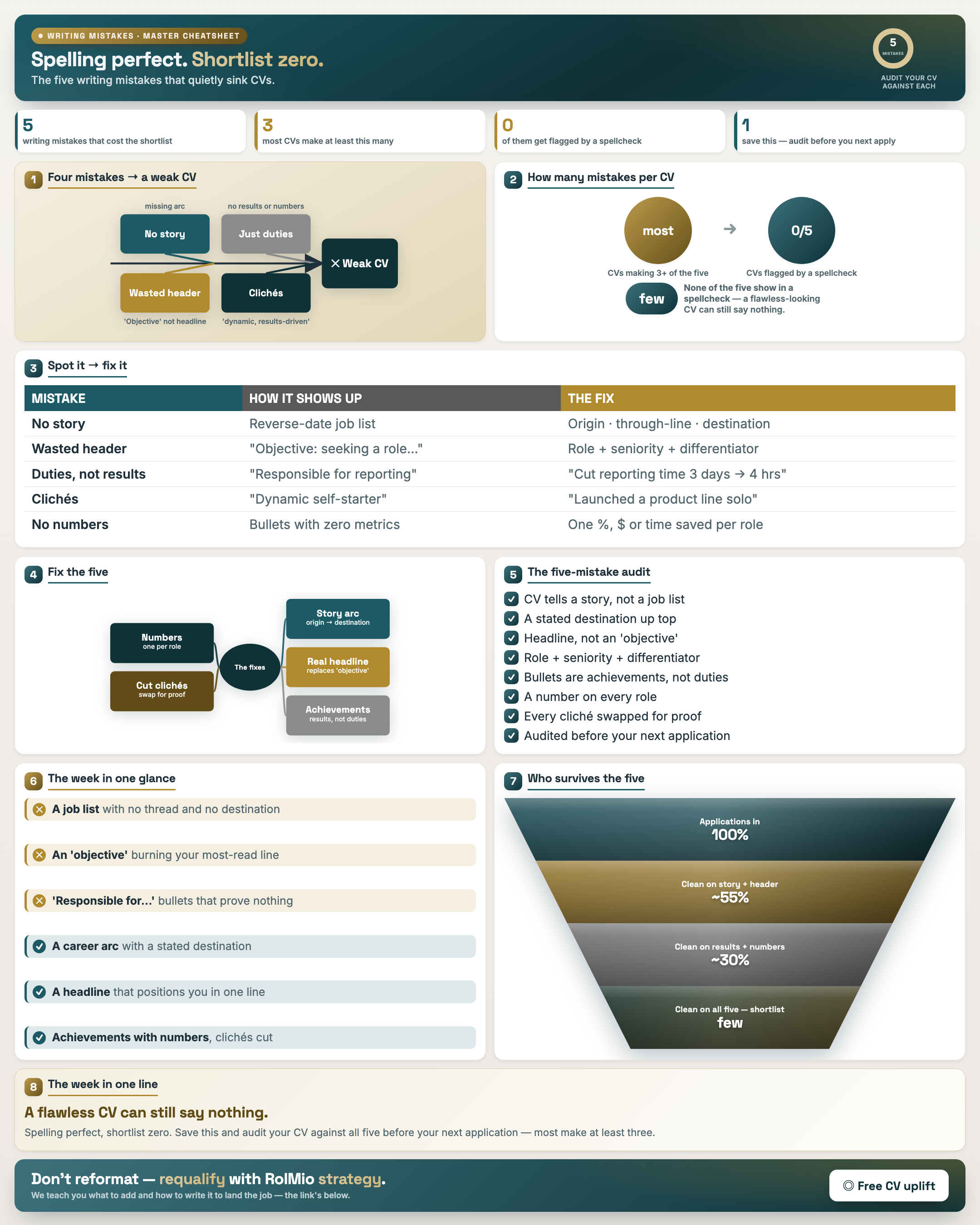
Week 2 Wrap — The Five Writing Mistakes
Result: You audit for the five writing mistakes that keep a spelling-perfect CV off the shortlist.
Resource: Career Arc · Headline Builder · Cliché Audit · Duty/Achievement
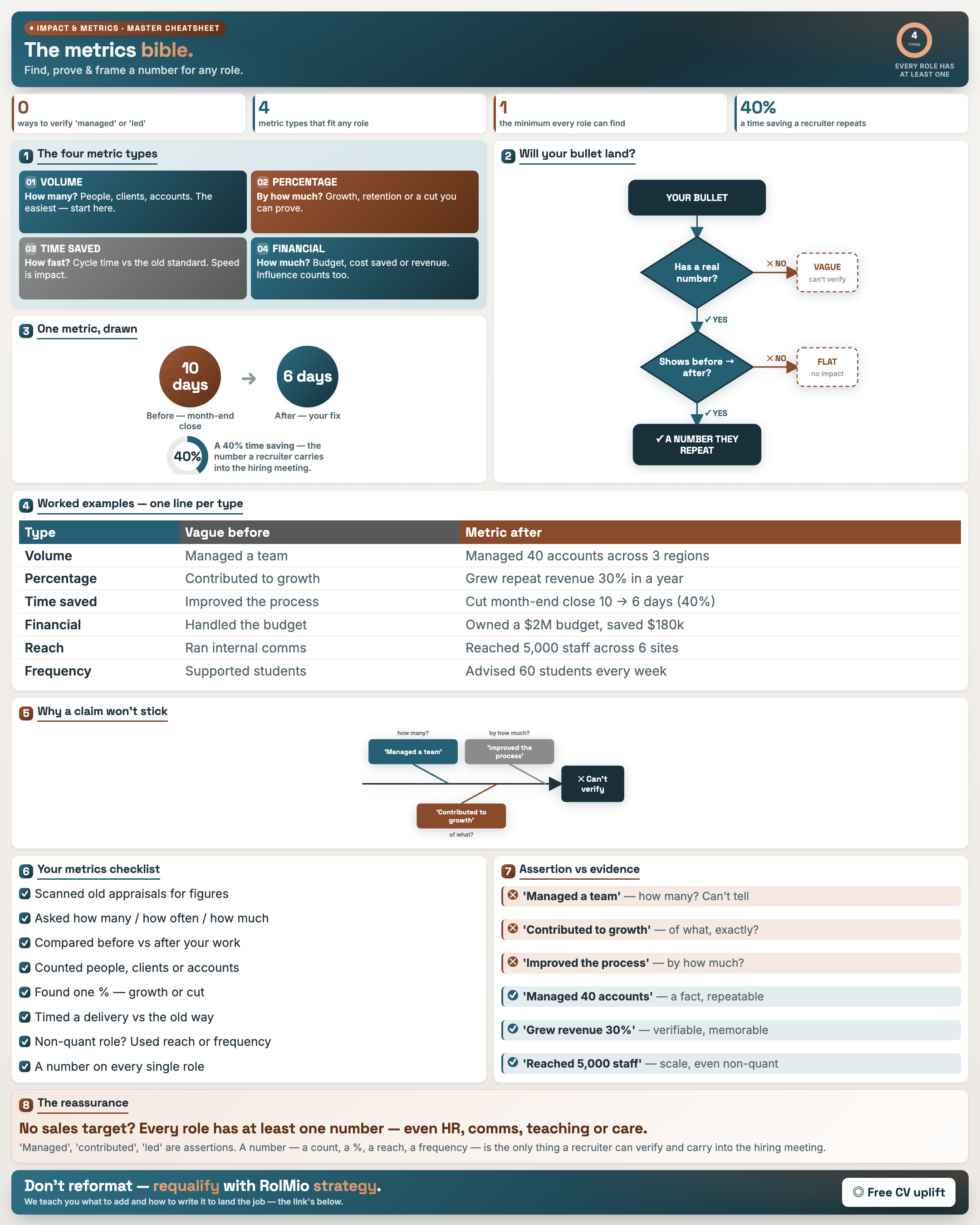
Impact & Metrics — Find, Prove & Frame a Number
Result: You find, prove and frame a credible number for any role — the biggest lever on interview rate.
Resource: Metrics Inventory · Five Questions · Framing · Non-Numeric
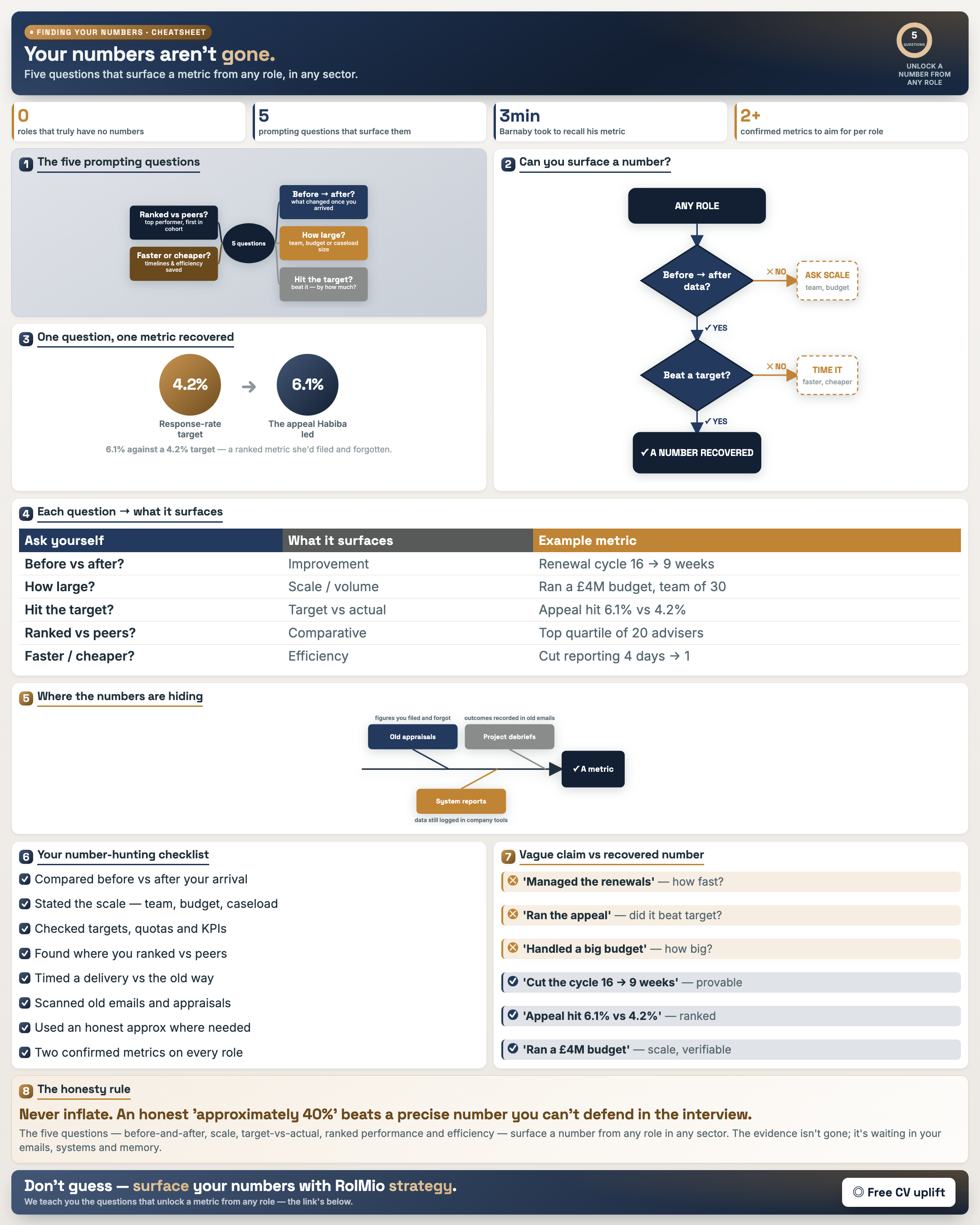
Find the Numbers Hiding in Any Role
Result: You use five questions to surface a metric from any role in any sector.
Resource: Five Questions Worksheet
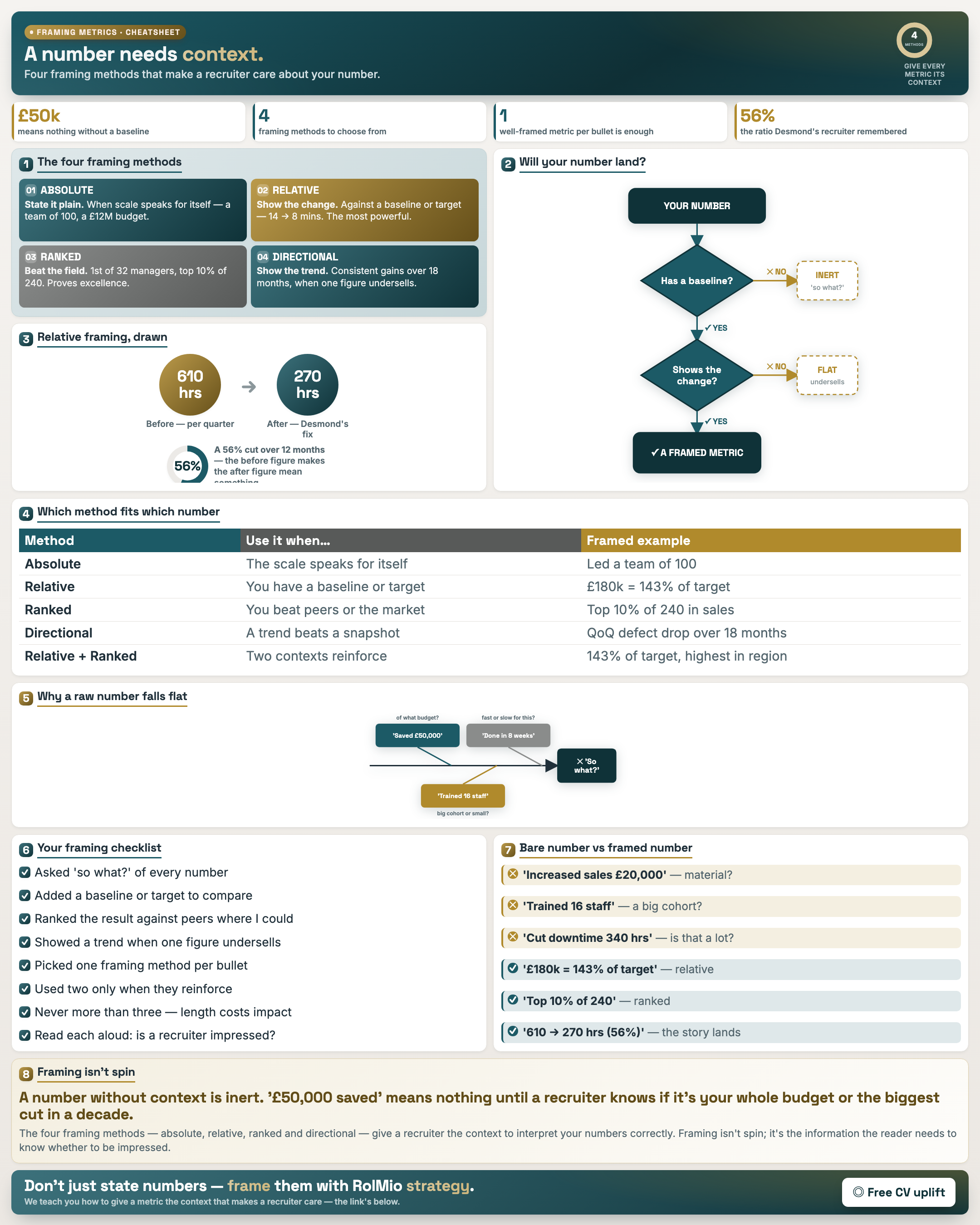
Frame a Number So It Lands
Result: You apply four framing methods that make a recruiter care about your number.
Resource: Metrics Framing Worksheet
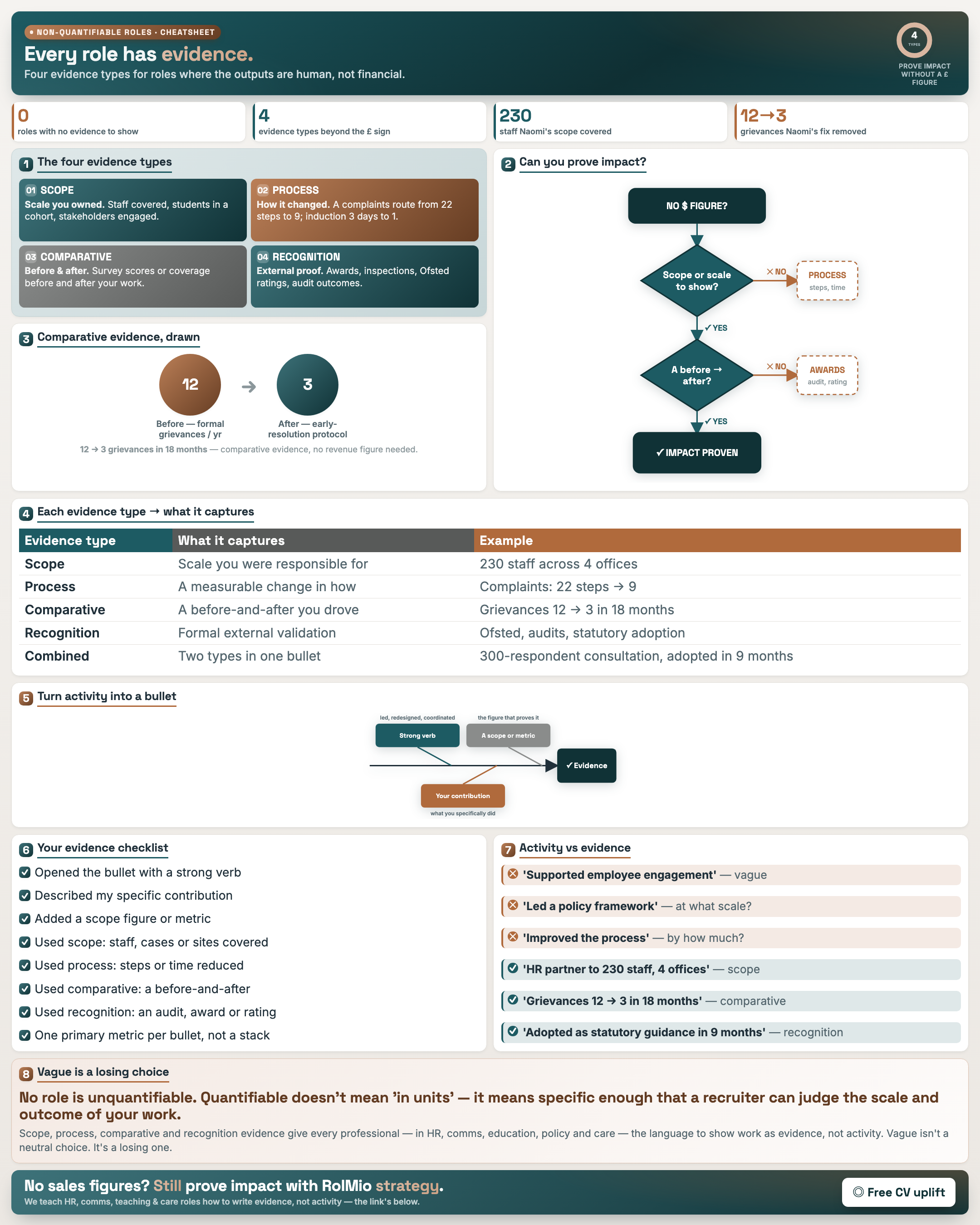
Prove Impact in a Non-Numeric Role
Result: You evidence impact in people-facing roles using four non-financial evidence types.
Resource: Non-Numeric Metrics · CAR+Metric Integration
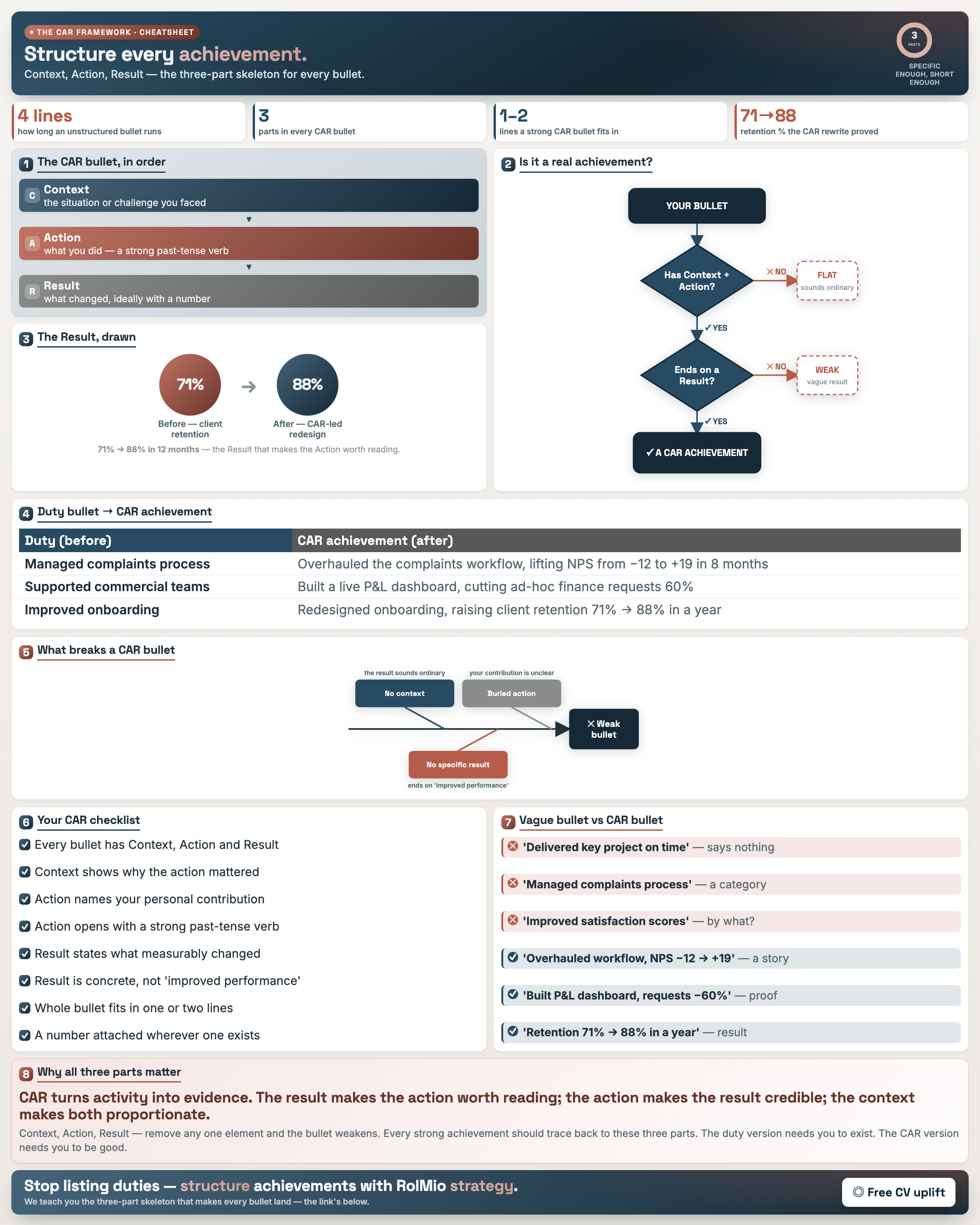
The CAR Framework (Context · Action · Result)
Result: You structure any achievement on the CAR skeleton so it reads as a result, not a task.
Resource: CAR Framework Worksheet
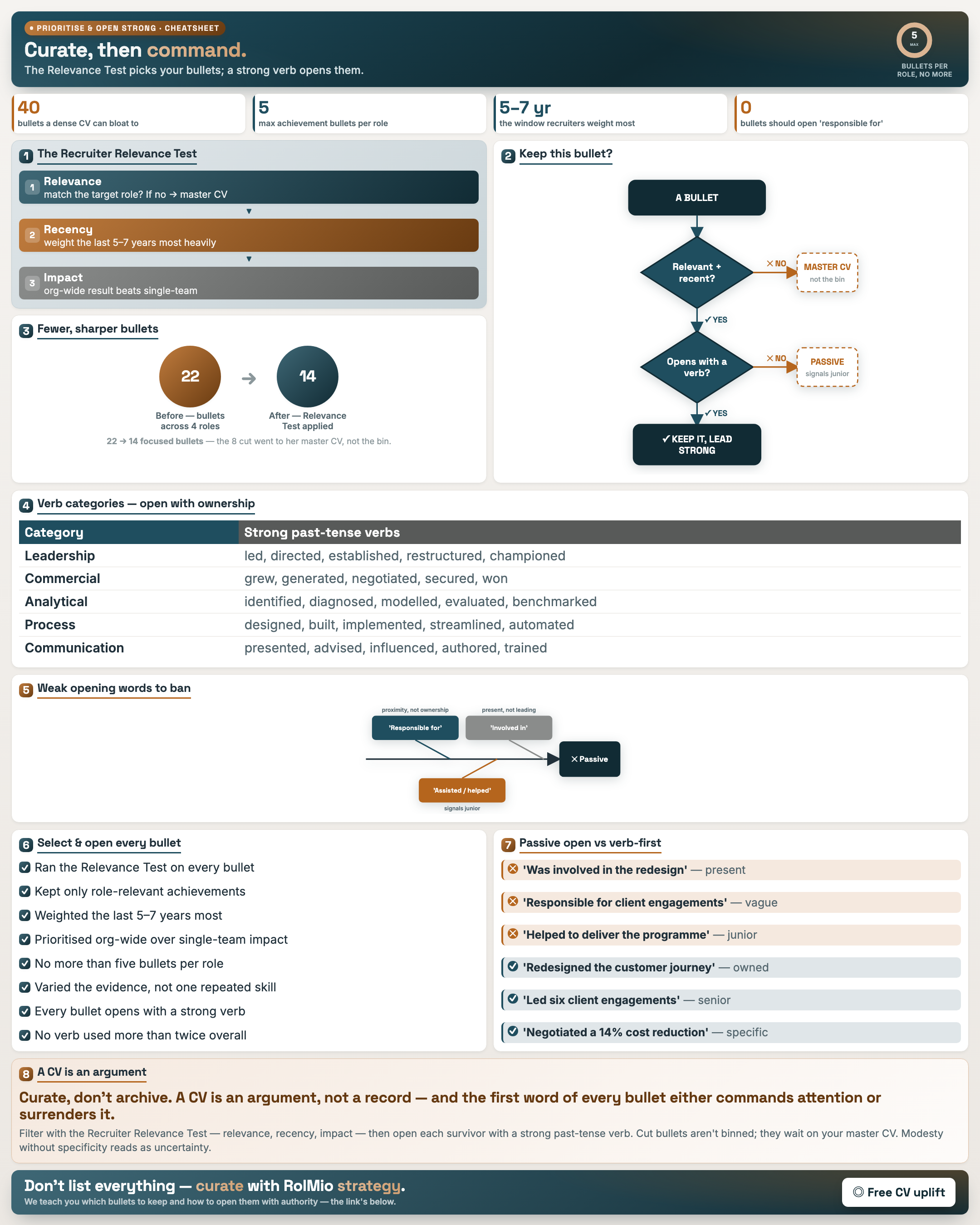
Prioritise the Right Bullets & Open Them Strong
Result: You use a Relevance Test to choose bullets and open each with a strong verb.
Resource: Achievement Selection Matrix · Strong Verb Reference
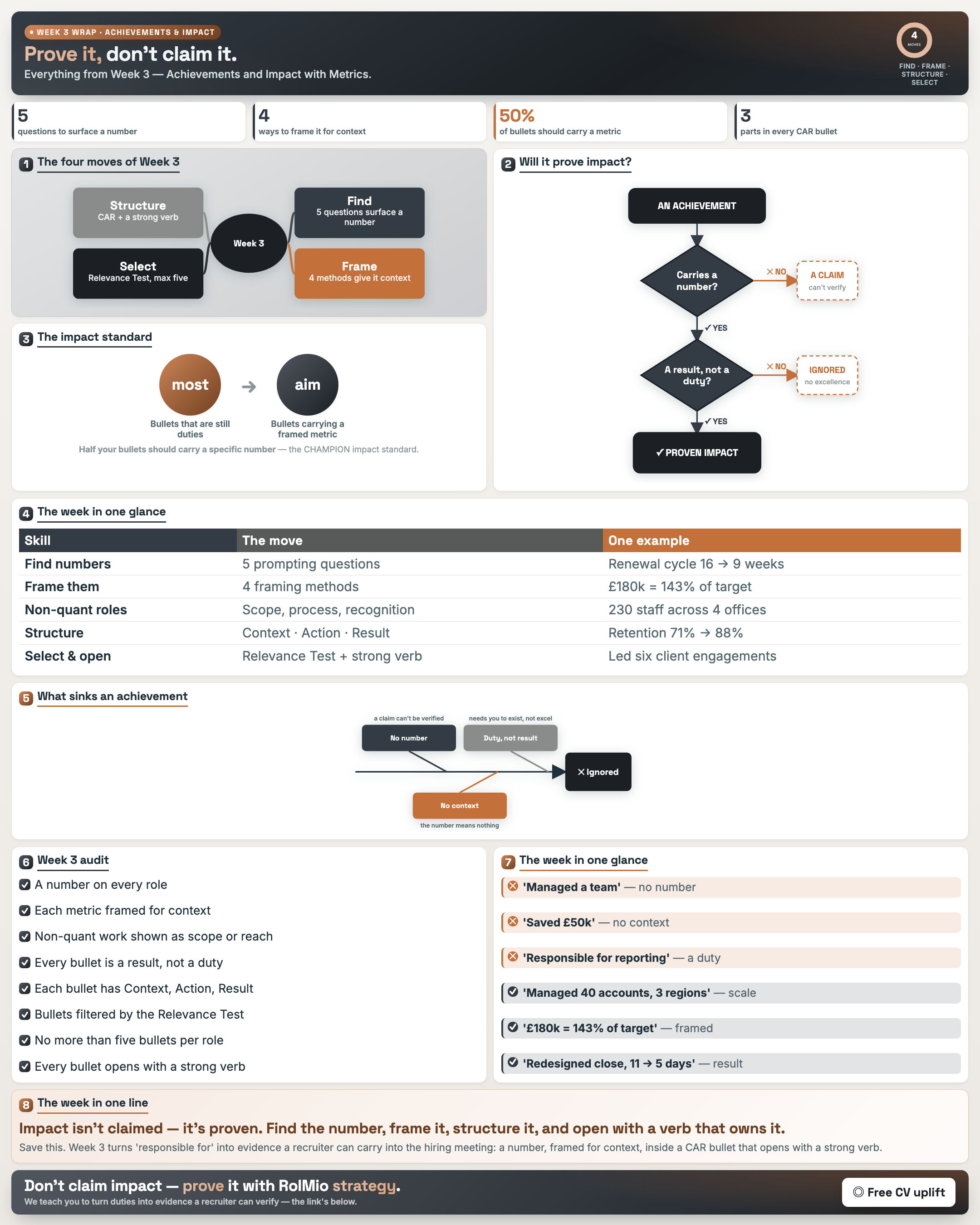
Week 3 Wrap — Achievements & Impact with Metrics
Result: You leave with a bank of quantified, CAR-structured bullets ready to drop into your CV.
Resource: CAR · Metrics Inventory · Framing
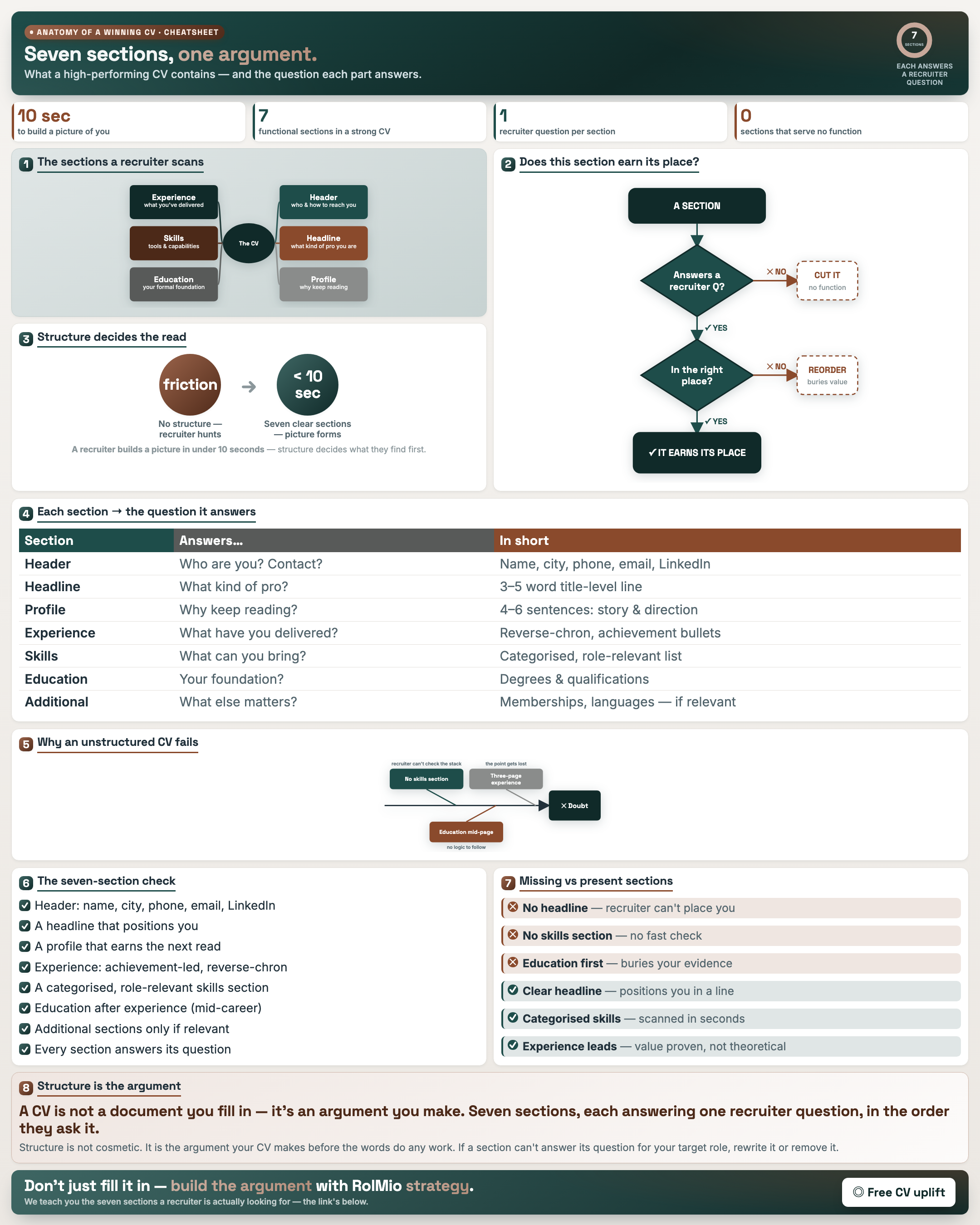
The Anatomy of a Winning CV
Result: You know every part a high-performing CV contains and the question each part answers.
Resource: CV Anatomy Labelling Worksheet
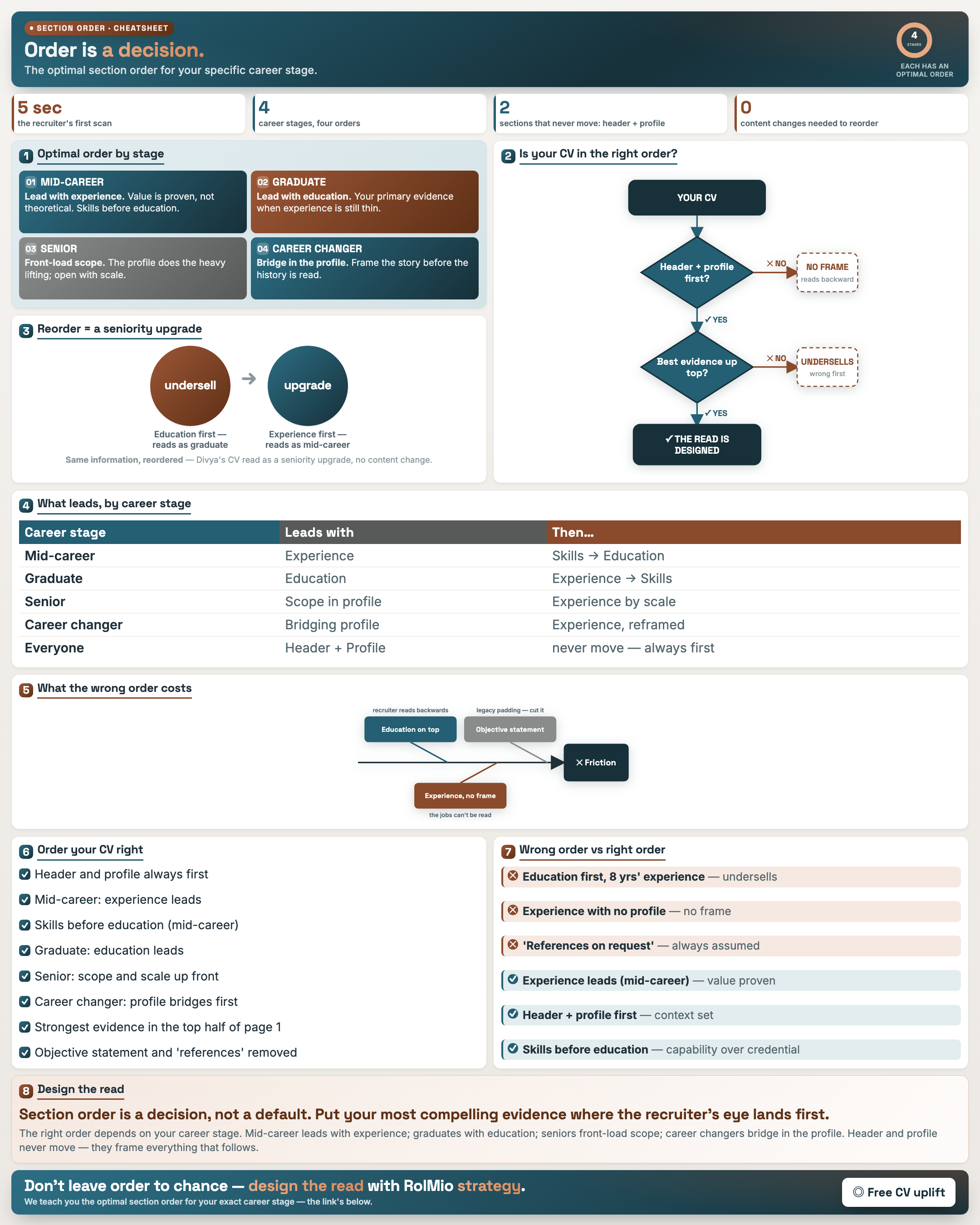
Section Order: What Goes First
Result: You order sections for your career stage so your strongest evidence is read first.
Resource: Section Order Decision Worksheet
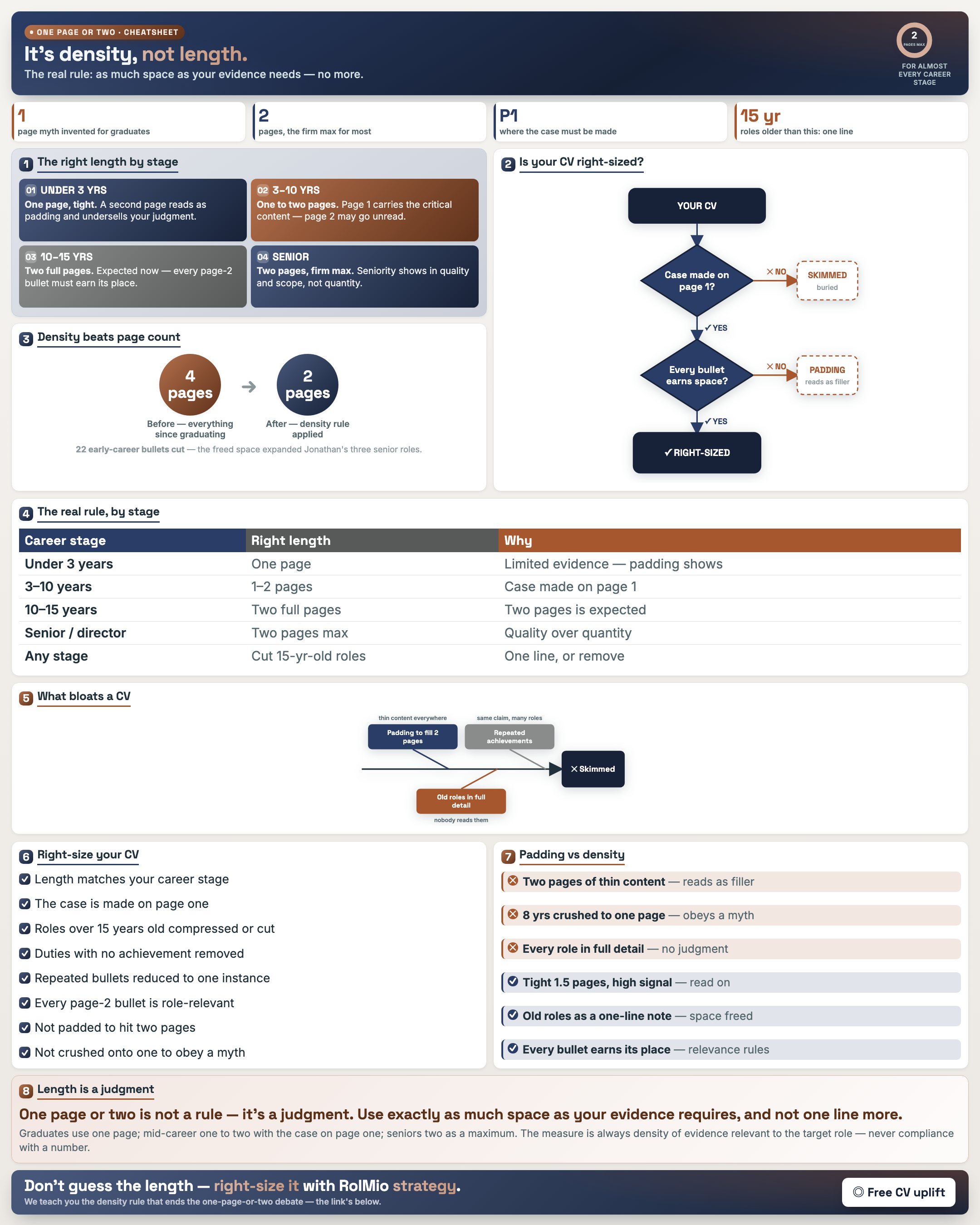
One Page vs Two: The Real Rule
Result: You right-size your CV to the evidence you actually have — no padding, no cramming.
Resource: CV Length Audit Worksheet
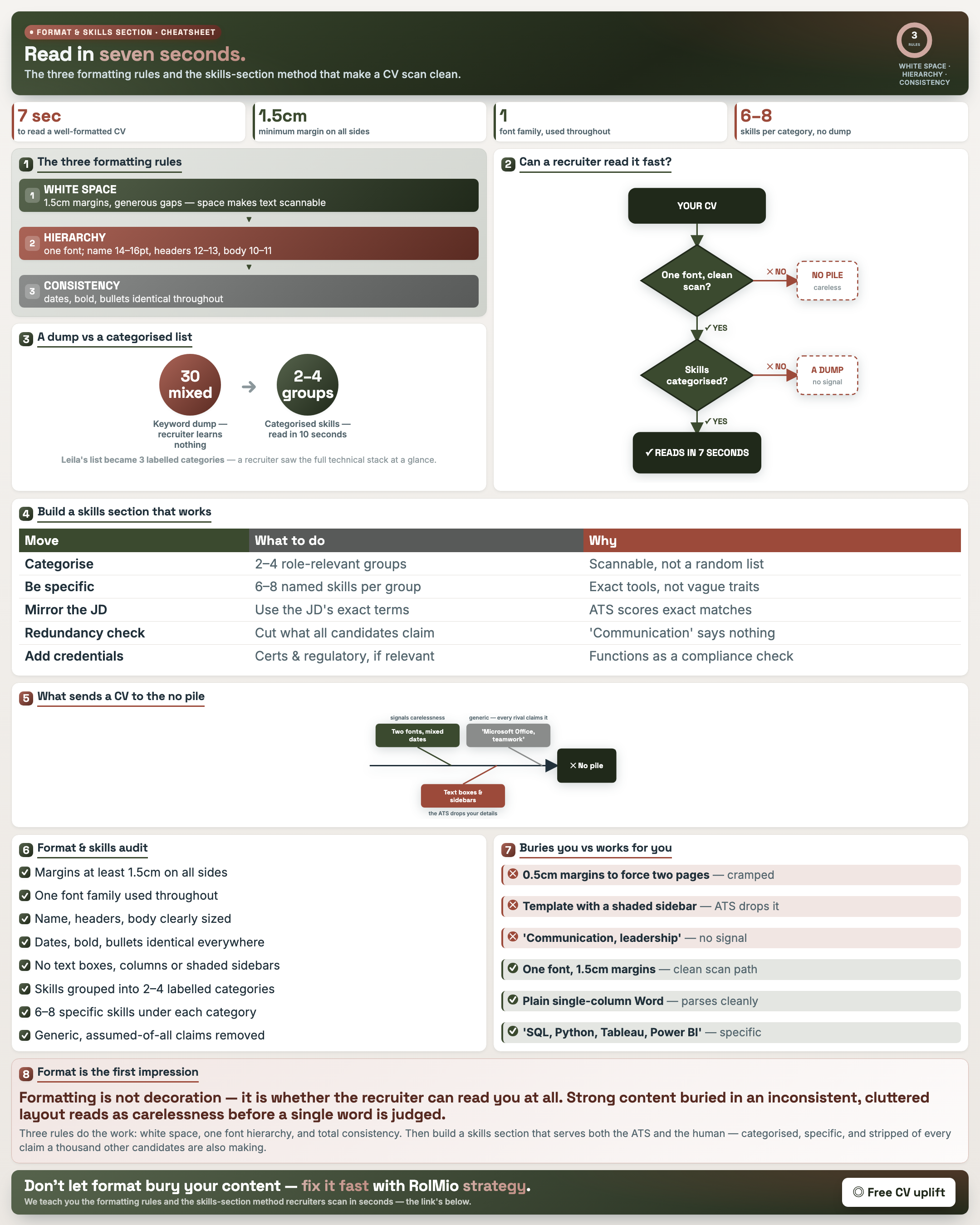
Format That Reads & a Skills Section That Works
Result: You apply three formatting rules and rebuild the skills section to scan clean for human and ATS.
Resource: CV Formatting Checklist · Skills Section Rebuild
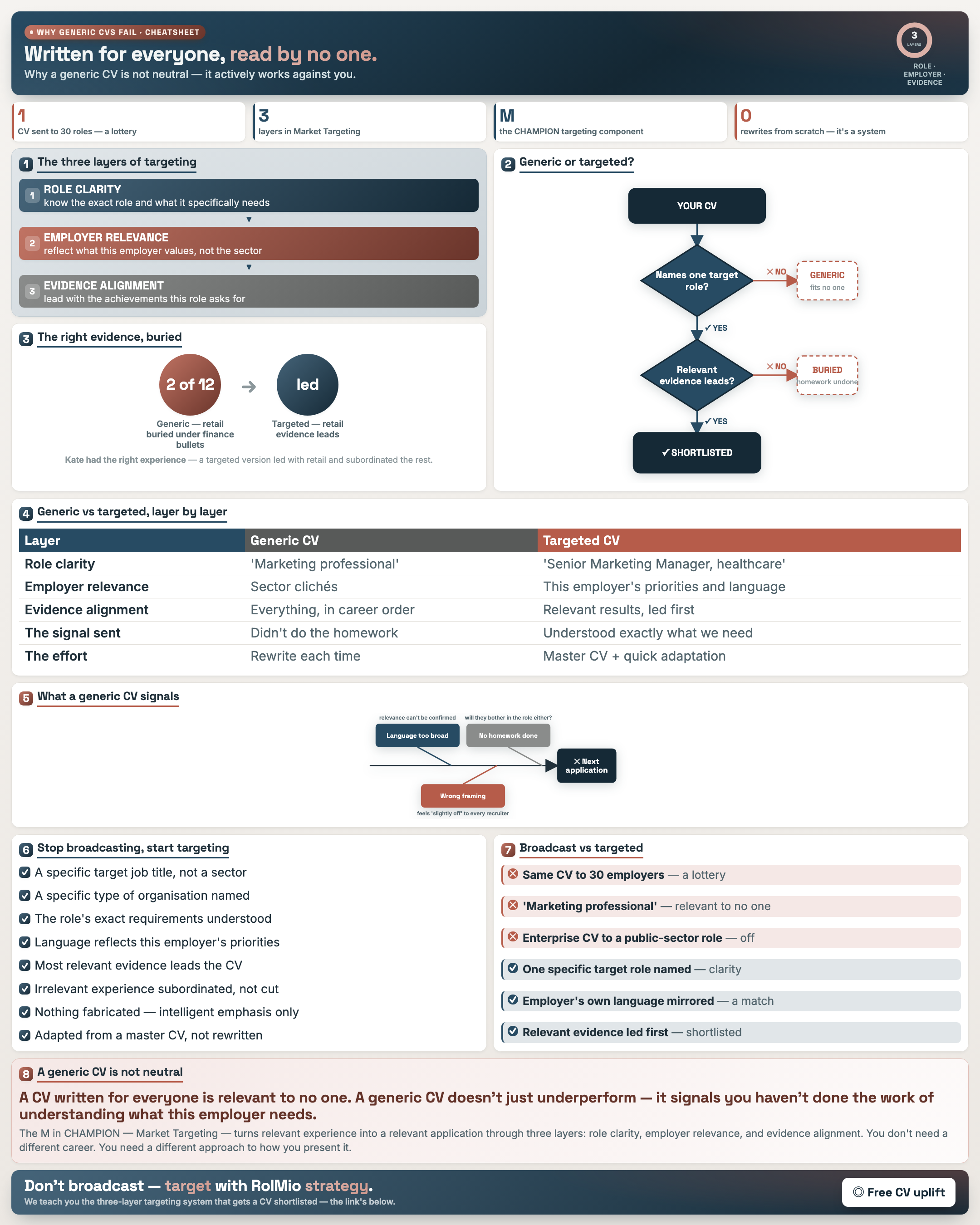
Why Generic CVs Fail
Result: You understand why a generic CV works against you and can define the role you're targeting.
Resource: Target Role Clarity Worksheet
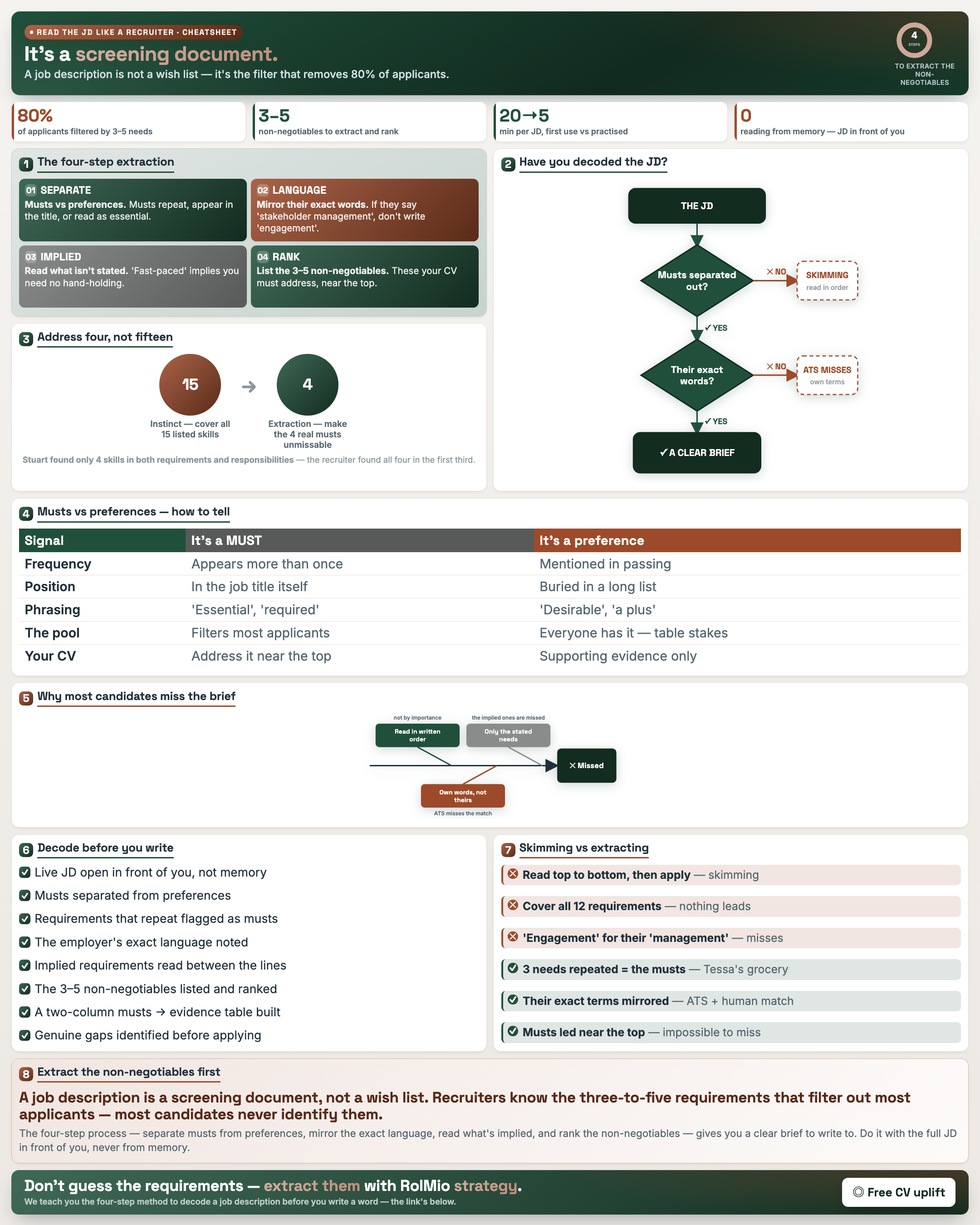
Reading a Job Description Like a Recruiter
Result: You read a JD as the filter that removes 80% of applicants and extract the true must-haves.
Resource: Job Description Extraction Template
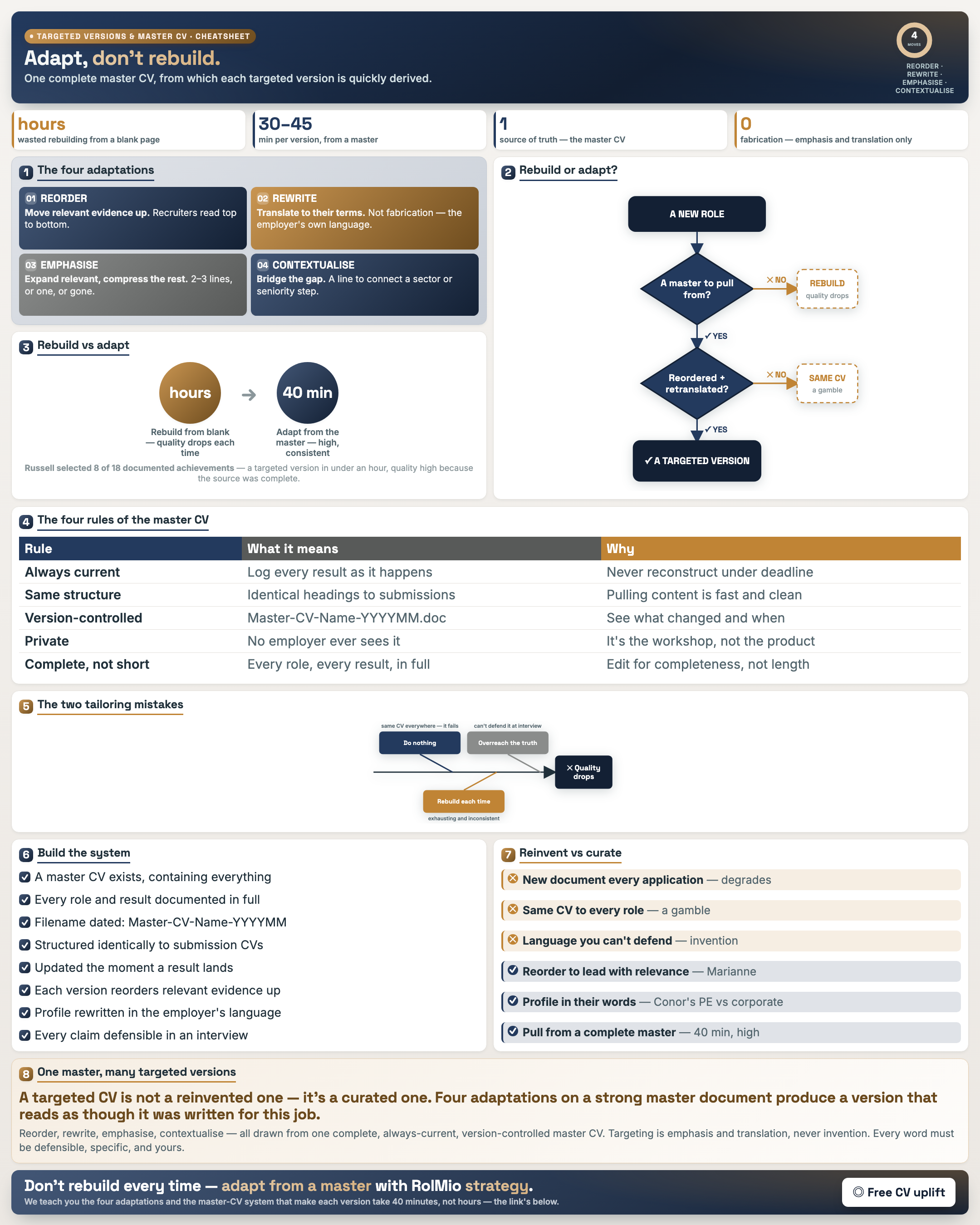
Role-Specific Versions & the Master CV System
Result: You build one master CV and derive targeted versions quickly, not from scratch each time.
Resource: CV Adaptation Tracker · Employer Research Log · Master CV Setup
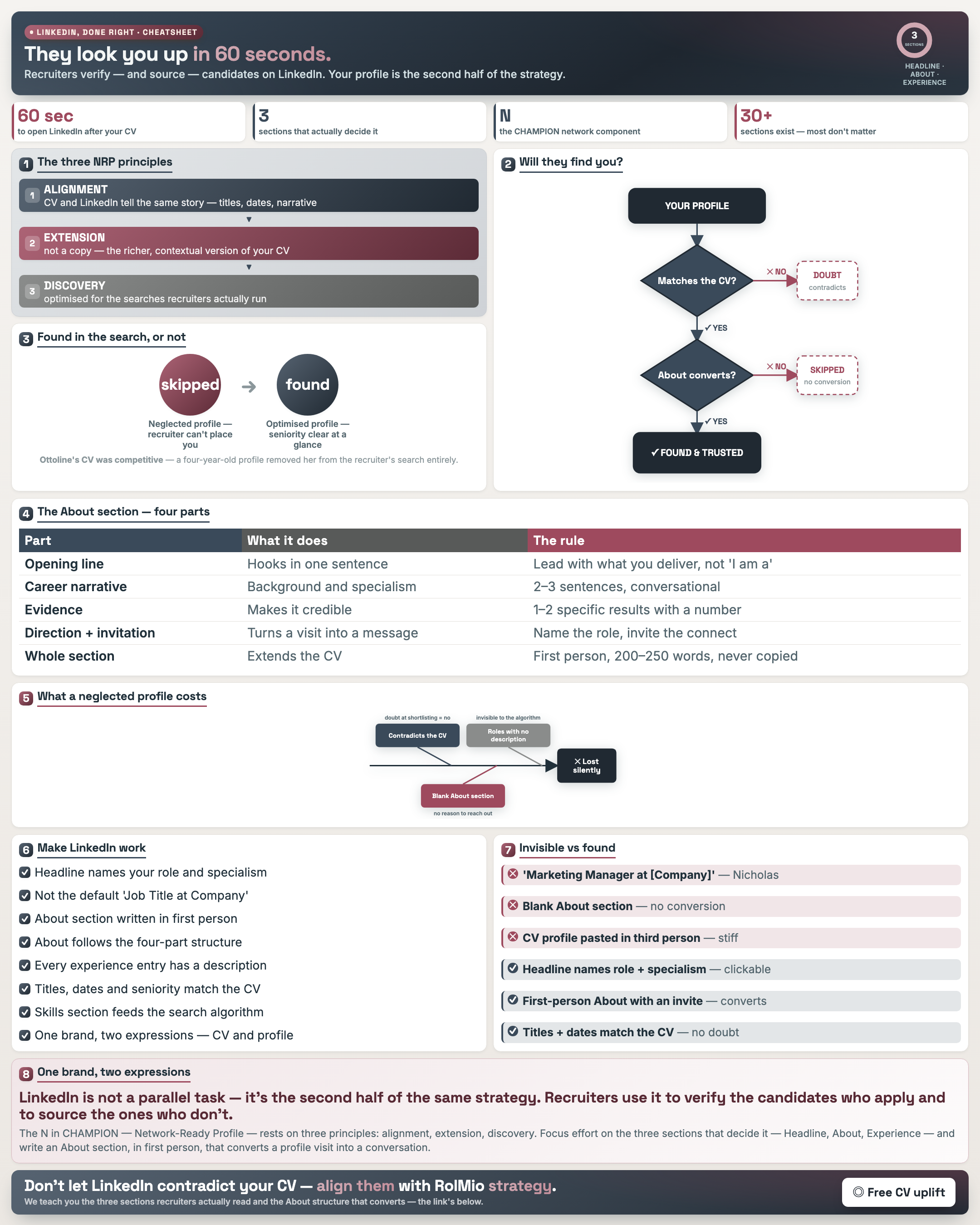
Make LinkedIn Work With Your CV
Result: Your LinkedIn reinforces your CV so recruiters who source and verify you see one story.
Resource: LinkedIn vs CV Alignment · Profile Audit · About Planner
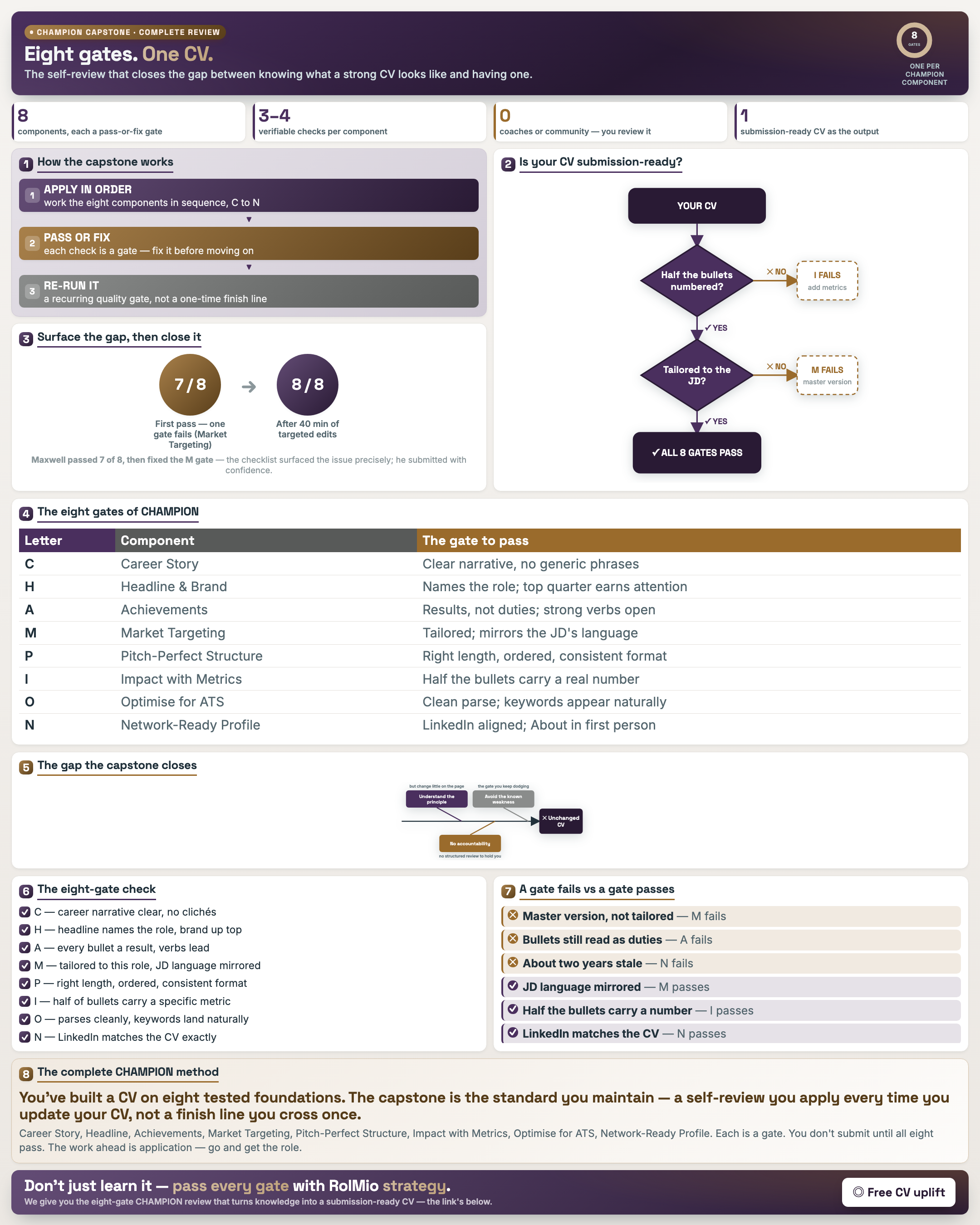
The CHAMPION Capstone — Your Complete CV Review
Result: You self-review your finished CV against every CHAMPION gate — knowing becomes having.
Resource: CHAMPION Capstone Checklist · Framework Summary Card
Free and practical. Every cheatsheet is pulled straight from the CV Writing Mastery course. See the course →
Get your free cheatsheet
Enter your email and we'll send this cheatsheet straight to your inbox.
Free · One email · Straight to your inbox · Unsubscribe anytime
✓ On its way!
Check your inbox — your cheatsheet is landing now. Want the full method? Enrol in CV Writing Mastery →